Understand your earnings and their statuses
Learn how much you earn on each invoice, when your earnings become confirmed, why some are reversed or deducted, and how to filter the ledger.
You earn 15% of the fees a store pays Shewalak, on every invoice whose period starts within 12 months of the store opening. Nothing is earned before the store pays its invoice in full, and the store's sales play no part in it. All amounts are in US dollars.
Today's rate and period are in the How you earn card on Home. They are fixed on each store the day it is linked to your code, so a later change applies to new stores only.
You are reading the computer way: the Shewalak Partners portal in a computer browser.
1. Statistics summary
Open Earnings from the sidebar:
- The Earnings link in the menu.
- Pending: invoices paid this month, confirmed when the month closes.
- Confirmed: their month has closed and they are included in the next payout.
- In a payout: in this month's transfer batch.
- Paid to you: what we have transferred to you since you joined.
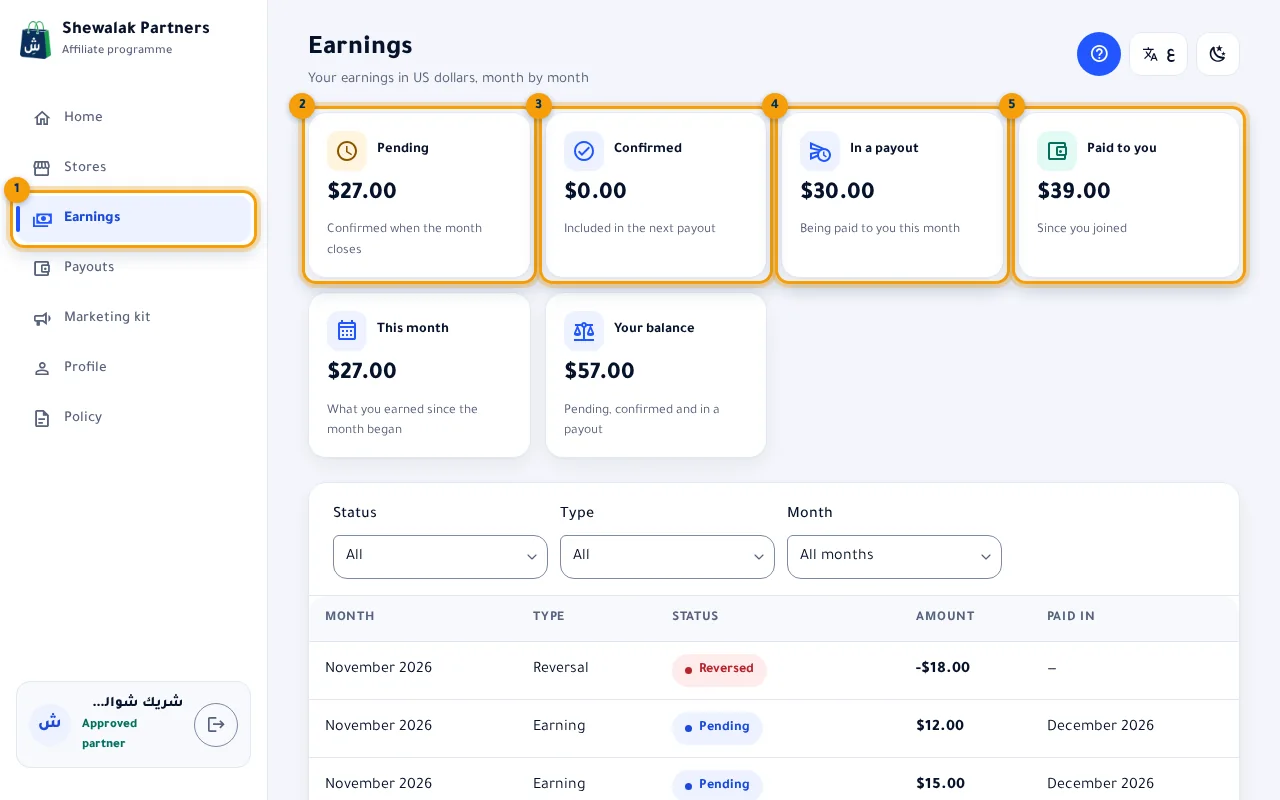
After them come This month and Your balance, the total of what is pending, confirmed and in a payout.
2. Filter the ledger
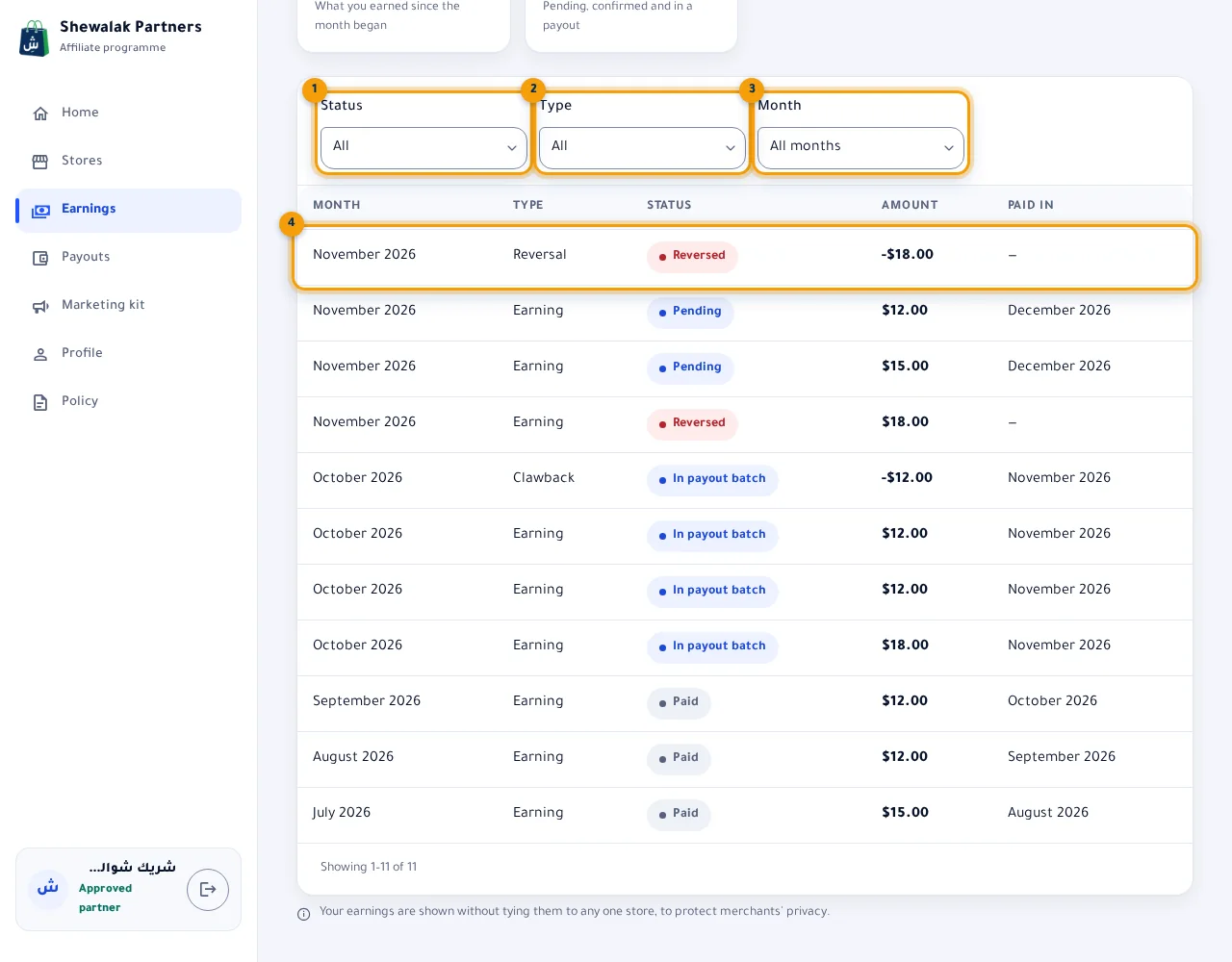
- Choose a Status to see one status only.
- Choose a Type: commission, reversal or clawback.
- Choose a Month from the last 12.
- Each row shows Month, Type, Status, Amount and Paid in. Paid in is the first batch it can enter; if your balance carried over or a transfer failed, it reaches you in a later one.
You are reading the phone way: the Shewalak Partners portal at partners.shewalak.com in your phone's browser.
1. Statistics summary
Tap Earnings in the bottom bar:
- Earnings in the bottom bar.
- Pending: invoices paid this month, confirmed when the month closes.
- Confirmed: their month has closed and they are included in the next payout.
- In a payout: in this month's transfer batch.
- Paid to you: what we have transferred to you since you joined.
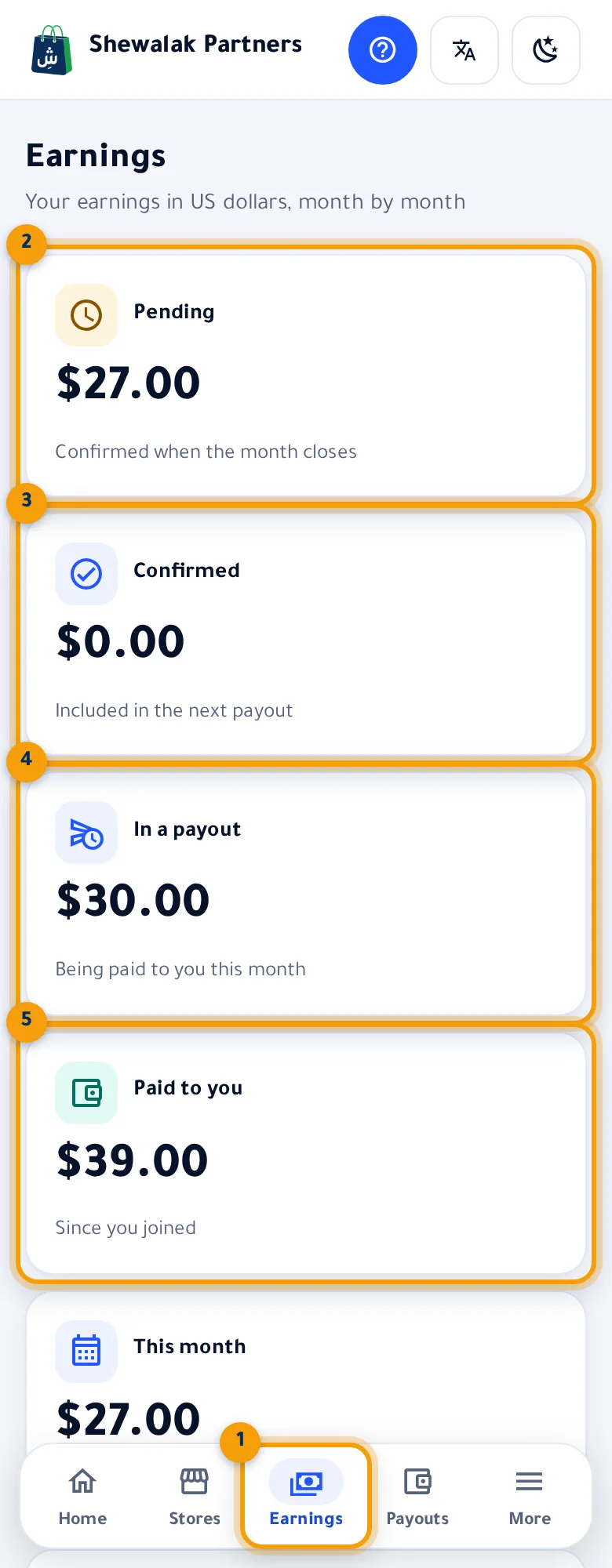
After them come This month and Your balance, the total of what is pending, confirmed and in a payout.
2. Filter the ledger
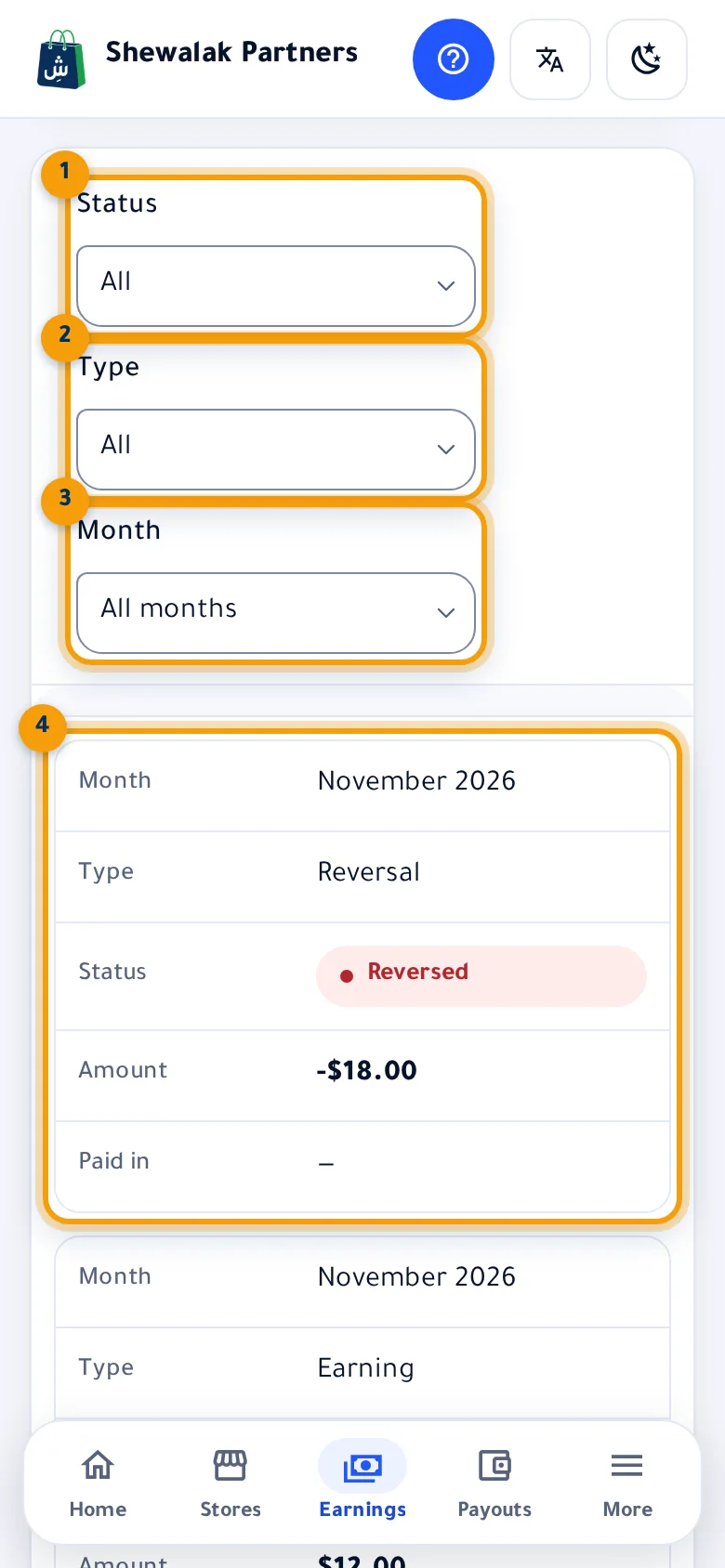
- Choose a Status to see one status only.
- Choose a Type: commission, reversal or clawback.
- Choose a Month from the last 12.
- Each earning is a card showing Month, Type, Status, Amount and Paid in. Paid in is the first batch it can enter; if your balance carried over or a transfer failed, it reaches you in a later one.
How is the commission worked out?
- From the paid invoice we take the order fees and the Shewalak features, less any credit in the store's favour.
- Third-party services, such as WhatsApp messages and AI, do not count, nor does what the store used within its free allowance.
- We multiply the rest by the rate: an invoice with 80 USD that counts gives you 12.00 USD.
A store that pays late costs you nothing: what matters is that the invoice's period starts inside the commission period.
When are earnings confirmed?
An invoice paid on any day of the month stays Pending until the month ends, then becomes Confirmed on the first of the next month. Confirmed earnings enter the transfer batch on the 20th. For example, an invoice paid on 5 November is confirmed on 1 December and enters the batch of 20 December.
Why is an amount negative?
- Reversal: the transfer that paid the store's invoice came back, or the referral was rejected after review, before the commission entered a batch, so it was cancelled.
- Clawback: the same happened after the commission entered a batch or reached you, so its amount is deducted from your coming earnings. You are never asked to send anything back yourself.
If the deduction is larger than your confirmed earnings, the rest waits for the next month, and you enter no batch until your confirmed balance is back at the minimum.
What each status means
| In the ledger | Meaning |
|---|---|
| Awaiting exchange rate | An invoice in a currency other than dollars whose rate is not set yet |
| Pending | Waiting for the month to close |
| Confirmed | Included in the next payout |
| In payout batch | Being transferred to you this month |
| Paid | Transferred to you |
| Reversed | Cancelled before it entered a batch |
| Forfeited | Dropped by the Shewalak team after the account was banned |
No earning is tied to any one store, to protect merchants' privacy.
What happens next
Confirmed earnings reach you in the month's batch once they are at the minimum. Next step: how you get paid.
Last updated: 2026-11-25
All Shewalak Partners articles