Join Shewalak Partners
Sign in with your mobile number, complete the five application steps, accept the terms, and receive your invite code once you are approved.
Shewalak Partners is a programme in which you earn commission on the invoices of stores opened with your invite code. Joining is free and needs no password: a Yemeni mobile number, a wallet in your name and at least one account you post on. If you are a Shewalak merchant you can join with the same number.
You are reading the computer way: the Shewalak Partners portal in a computer browser.
1. Sign in with your mobile number
- Open https://partners.shewalak.com and enter your Mobile number: 9 digits starting with 7.
- Select Send code. A 6-digit code reaches you on the channel the page names: WhatsApp or SMS.
- Enter the code and select Sign in. If the code is late, select Resend code.
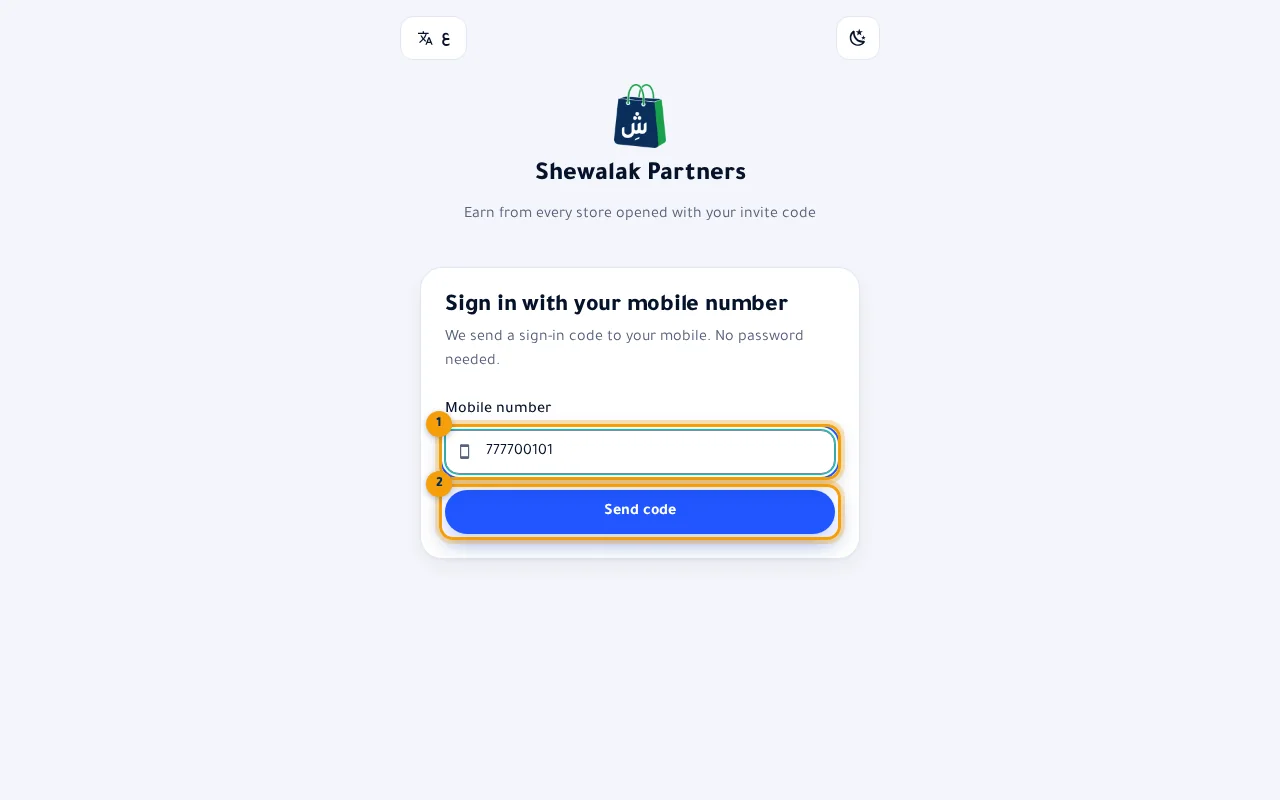
A new number opens Your application at once, and a registered number takes you back to where you stopped. Every step saves on its own, so you can finish later.
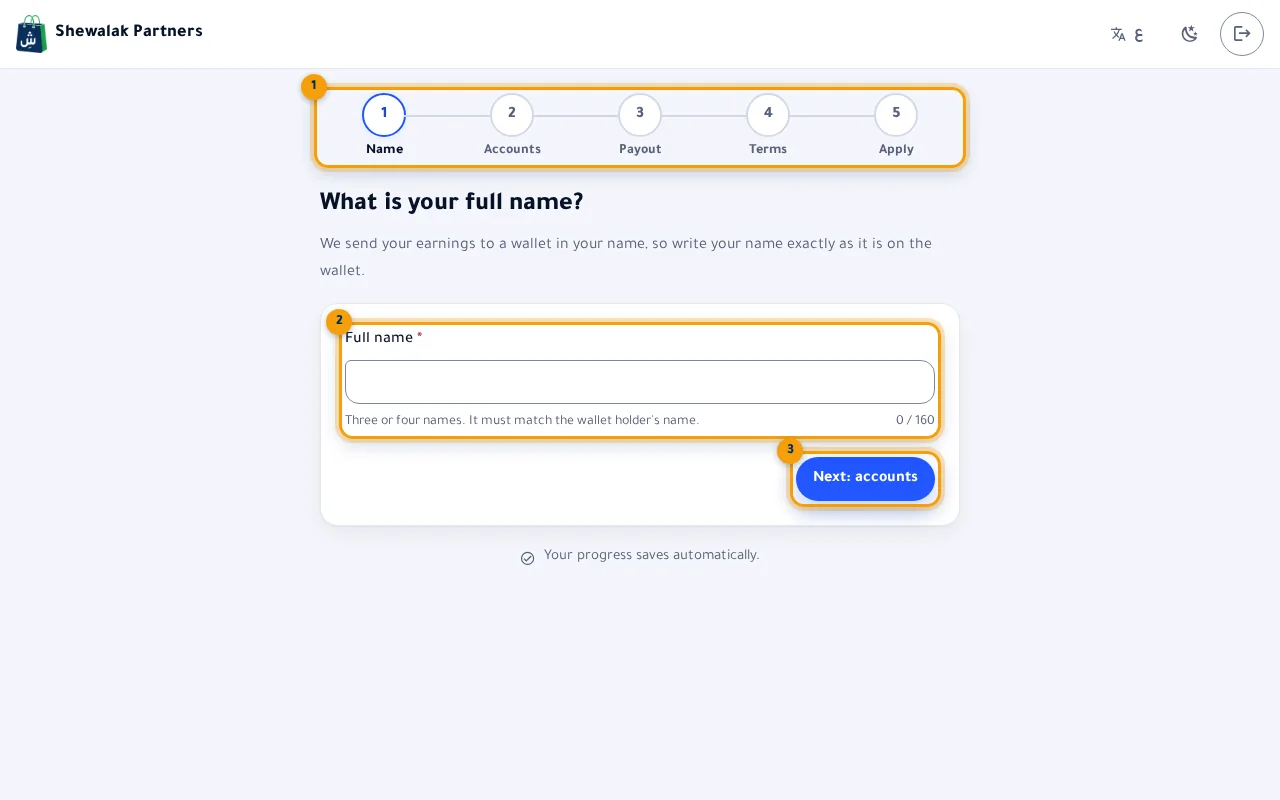
2. Write your full name
In the Name step write your Full name, three or four names exactly as they are on your wallet, then select Next: accounts.
3. Add your accounts
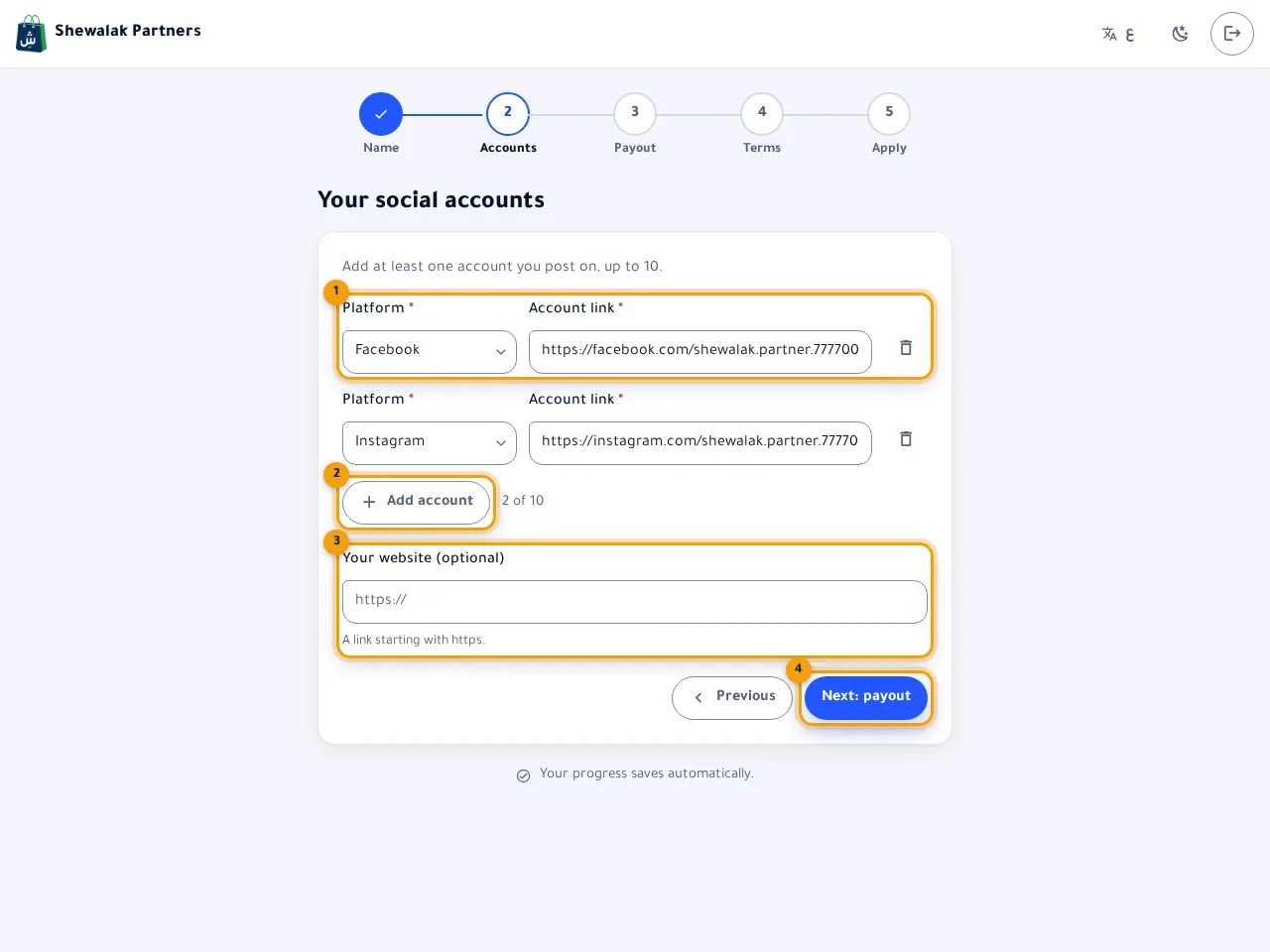
- Choose the Platform and write the full Account link. One account is enough and the limit is 10.
- Select Add account to add another.
- Write Your website (optional) if you have one.
- Select Next: payout.
4. Set how you get paid
- Payout mobile number is your sign-in number. If you change it, select Send the code and enter the code sent to the new number.
- Choose your Primary wallet.
- If you like, choose a Second wallet (optional), used when a transfer to the first one fails.
- Tick My wallet is in this name and on this payout number.
- Select Next: terms.
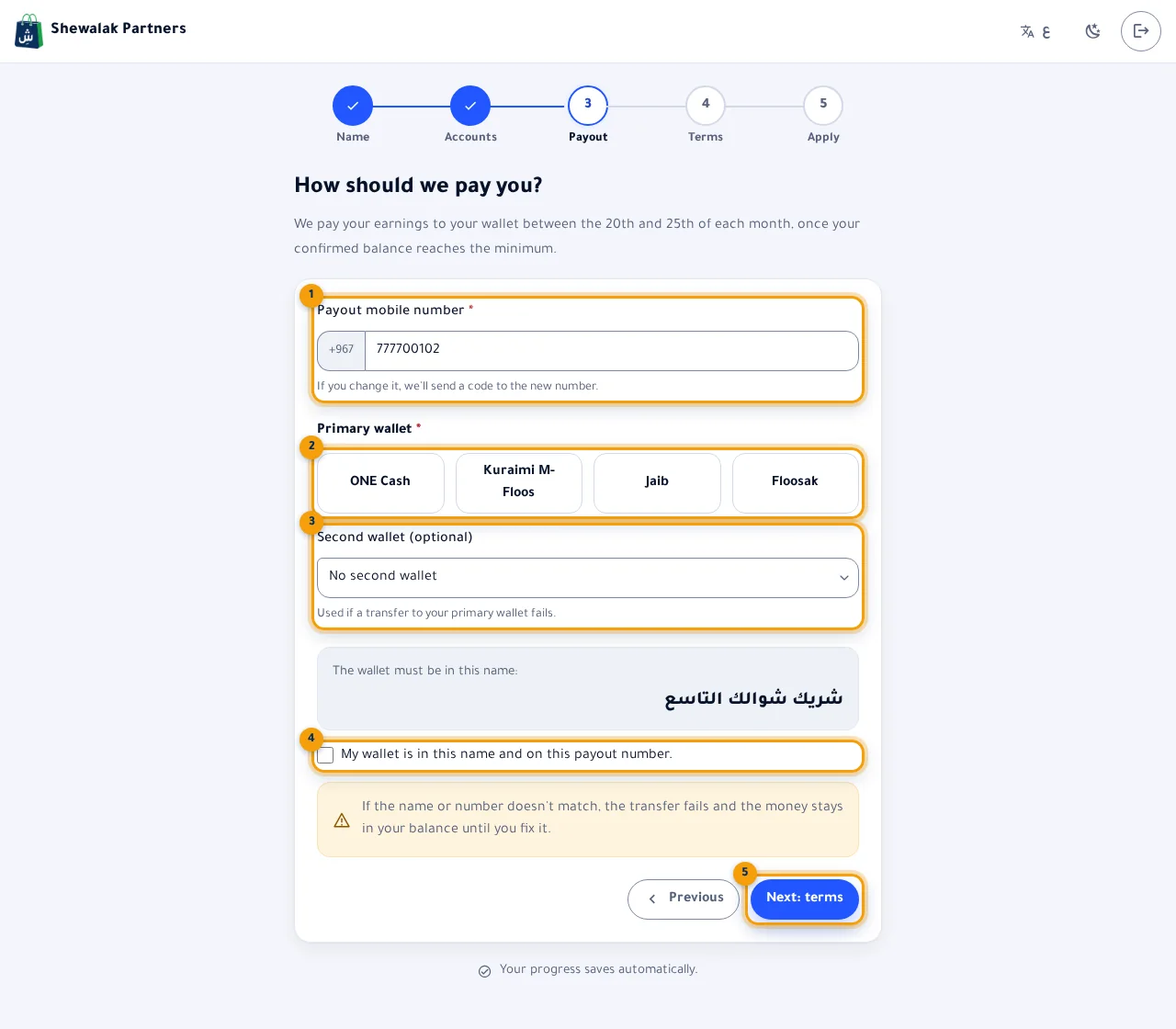
If the wallet's name differs from your full name the transfer fails, and the money stays in your balance until you fix your details.
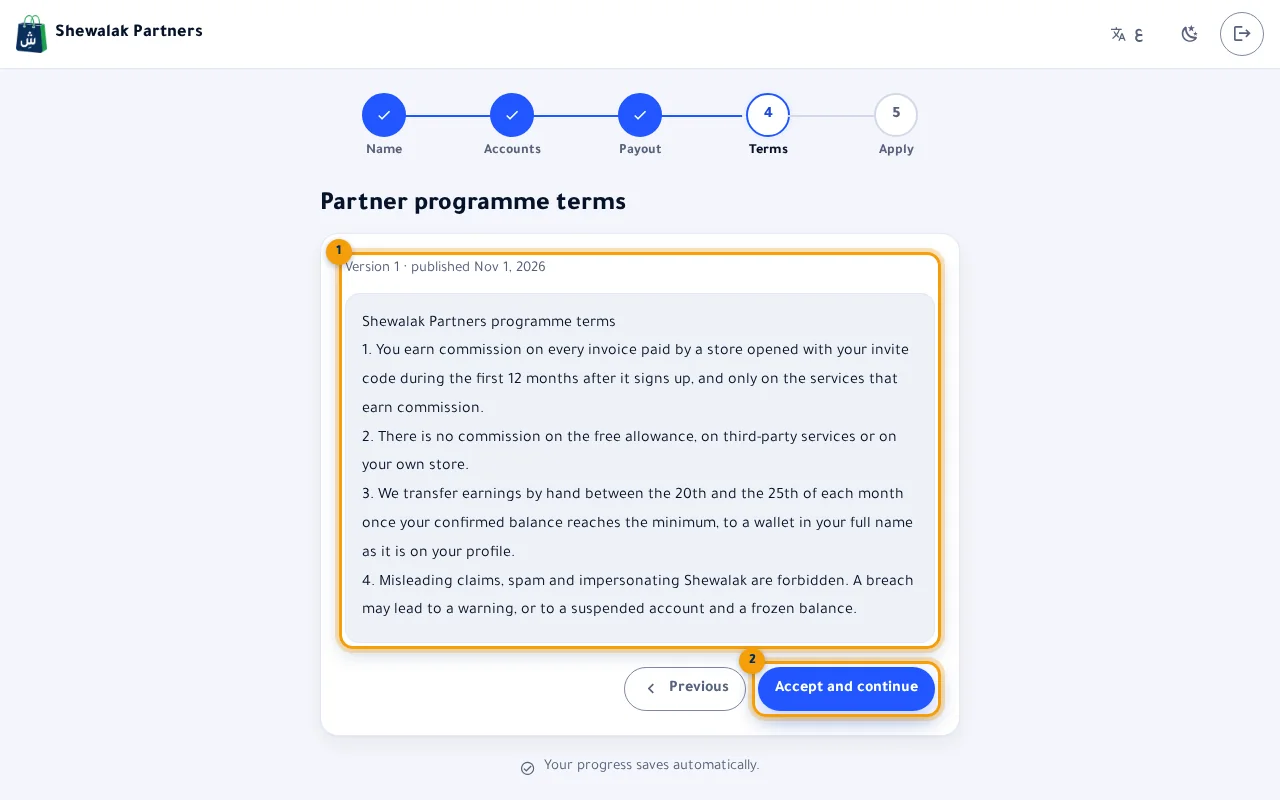
5. Accept the terms
Read the Partner programme terms, then select Accept and continue.
6. Submit the application
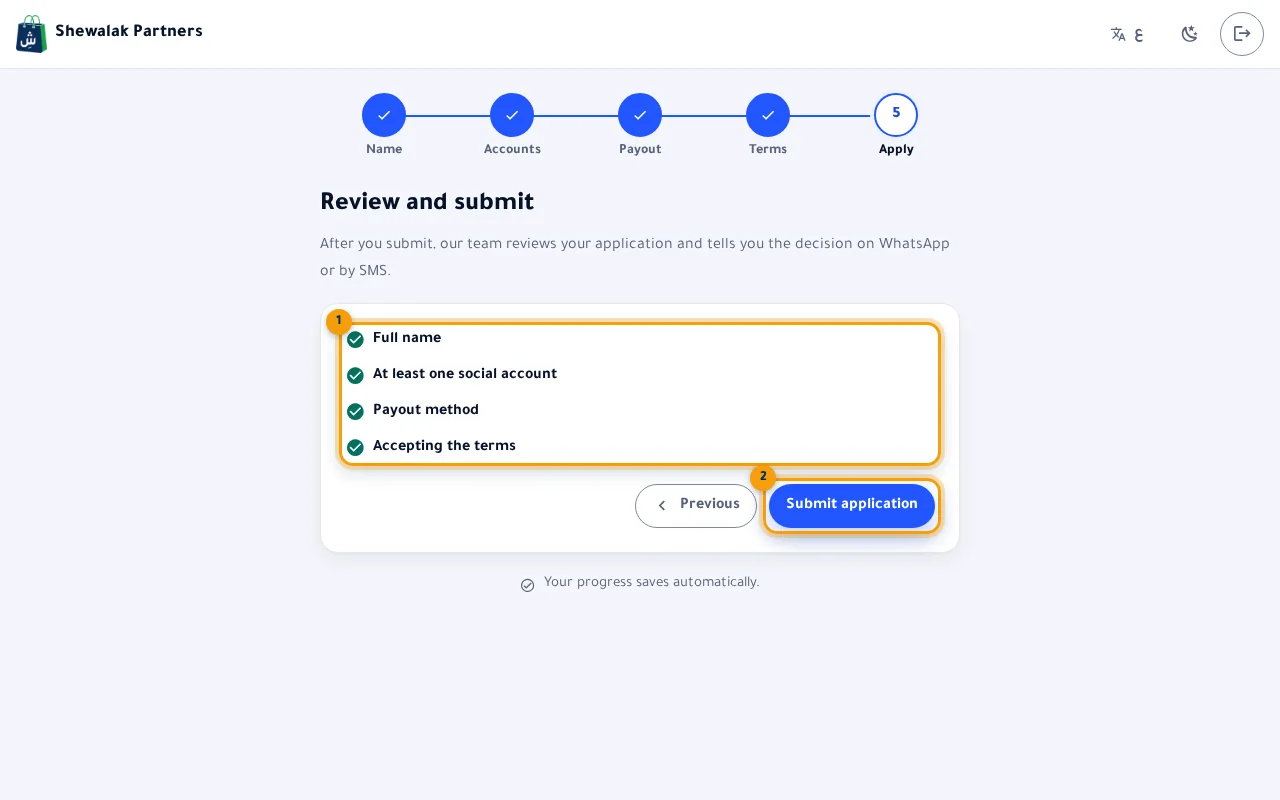
In the Apply step check that all four items are complete, then select Submit application. A missing item has a Complete it button next to it.
7. Wait for the decision
Home shows Your application is under review and what happens next; meanwhile you can change your profile with Edit my profile.
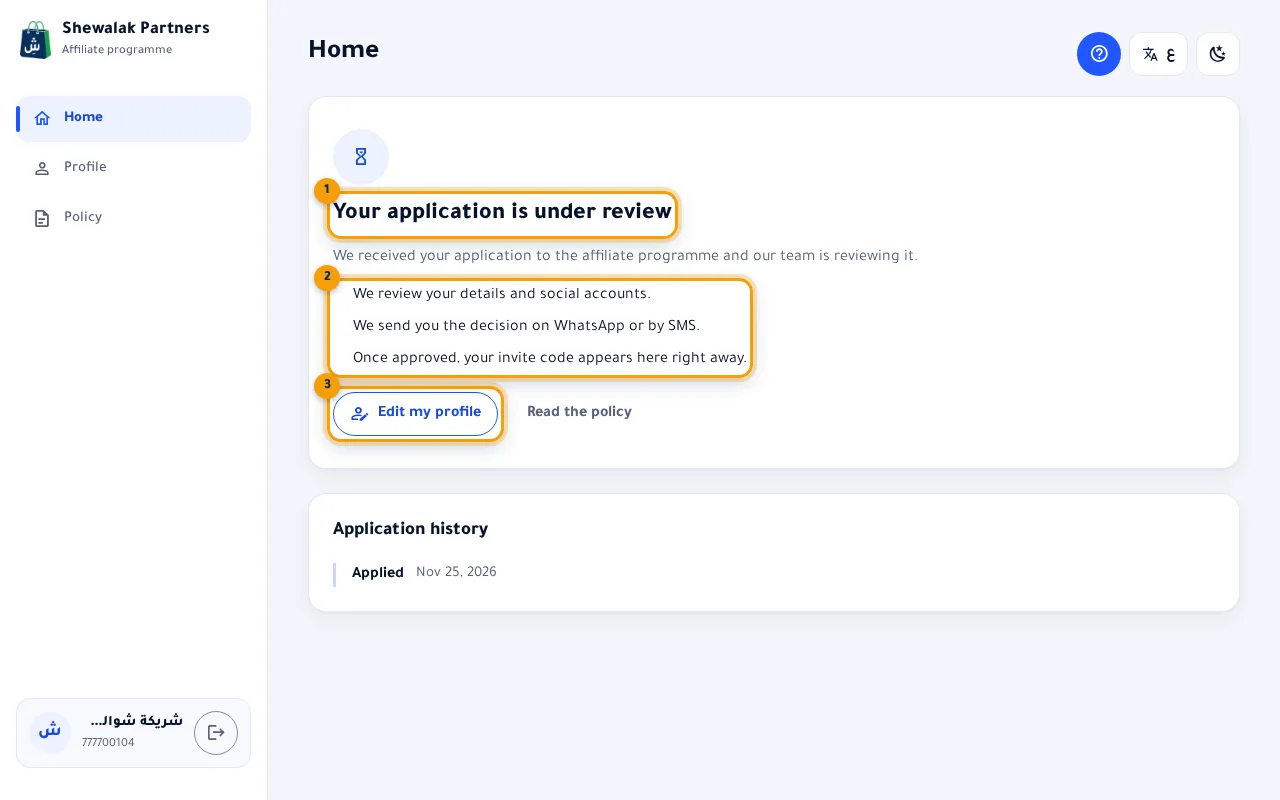
- If you are approved, the decision reaches you with your invite code on WhatsApp or by SMS, and the code appears on Home right away.
- If you are not, Your application wasn't accepted this time appears with the Reason. Select Edit and resubmit, change what is needed, then submit again.
You are reading the phone way: the Shewalak Partners portal at partners.shewalak.com in your phone's browser.
1. Sign in with your mobile number
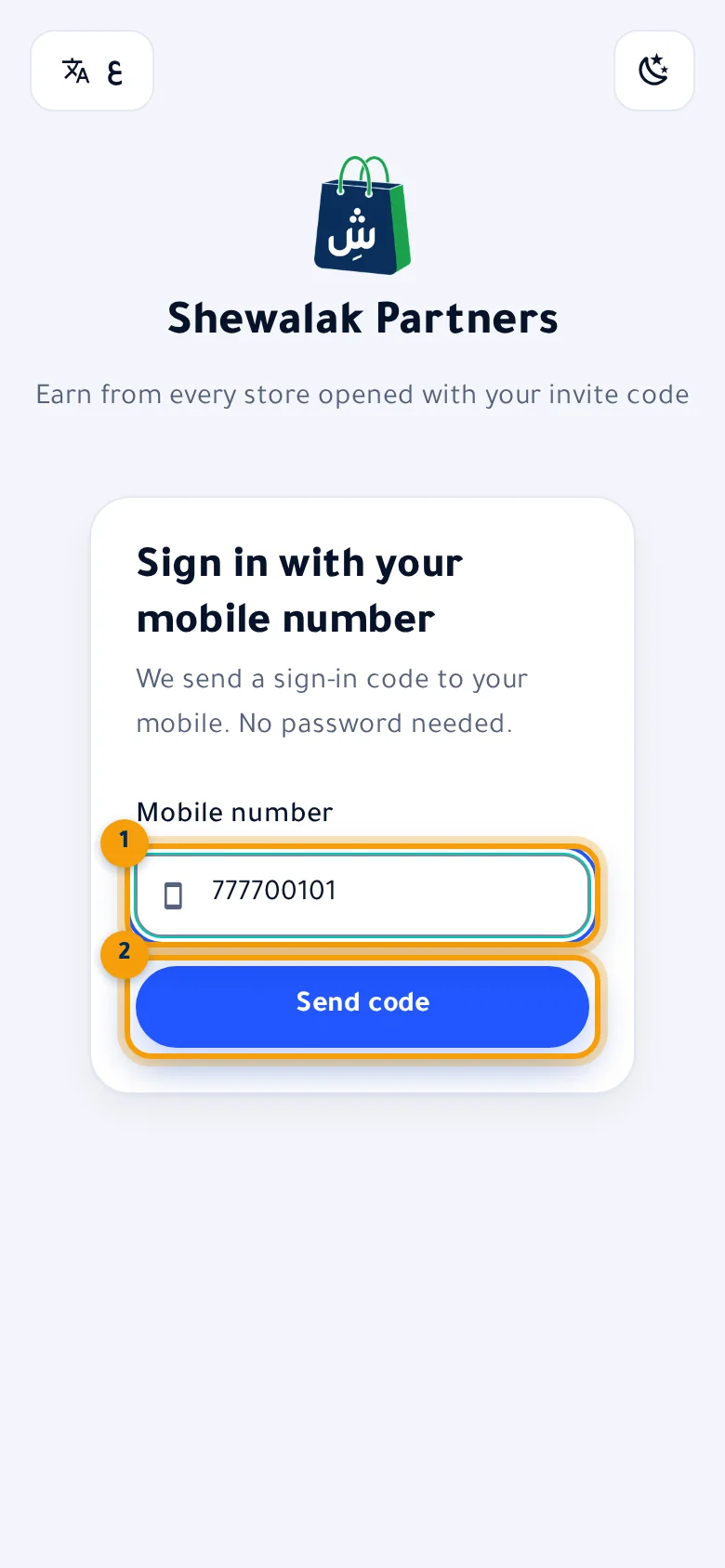
- In your phone's browser open https://partners.shewalak.com and enter your Mobile number: 9 digits starting with 7.
- Tap Send code. A 6-digit code reaches you on the channel the page names: WhatsApp or SMS.
- Enter the code and tap Sign in. If the code is late, tap Resend code.
A new number opens Your application at once, and a registered number takes you back to where you stopped. Every step saves on its own, so you can finish later.
2. Write your full name
In the Name step write your Full name, three or four names exactly as they are on your wallet, then tap Next: accounts.
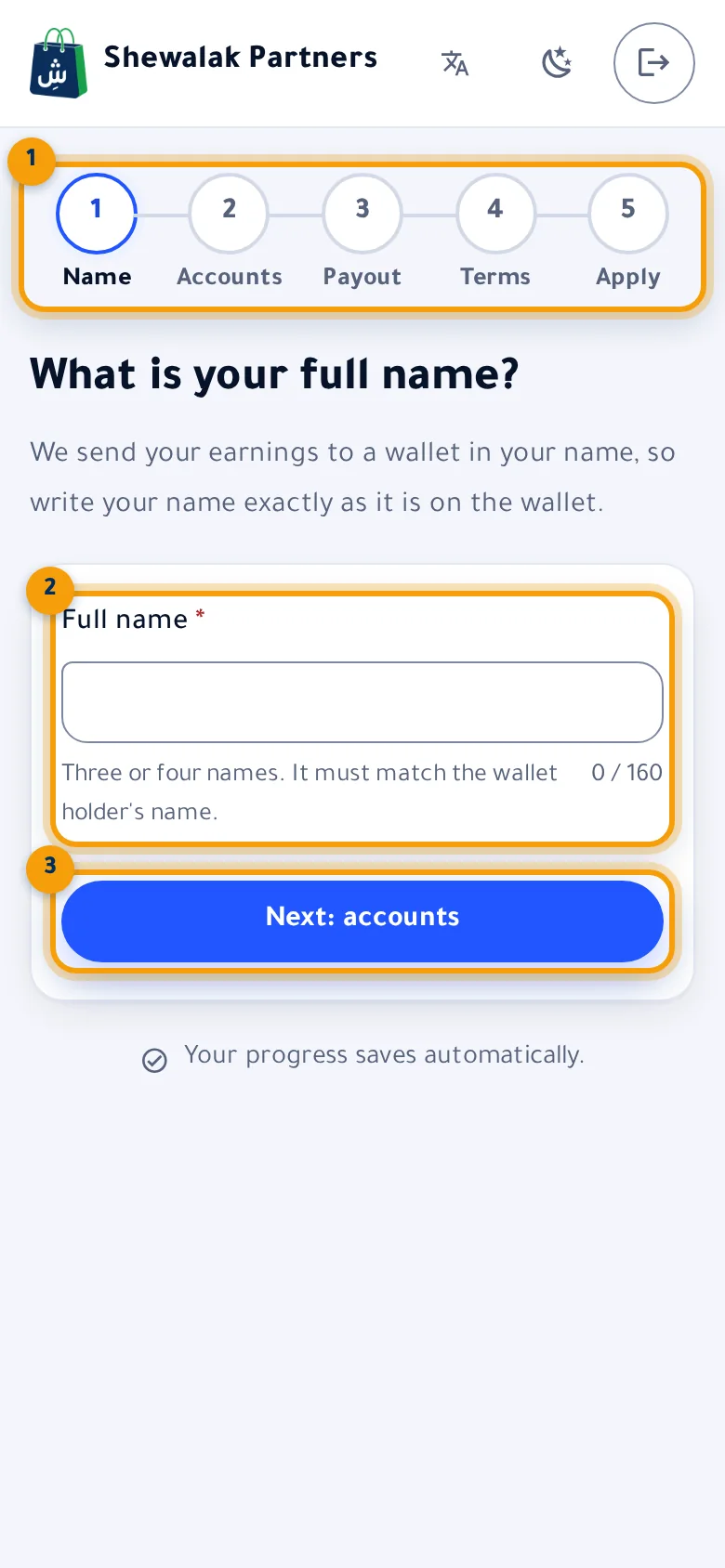
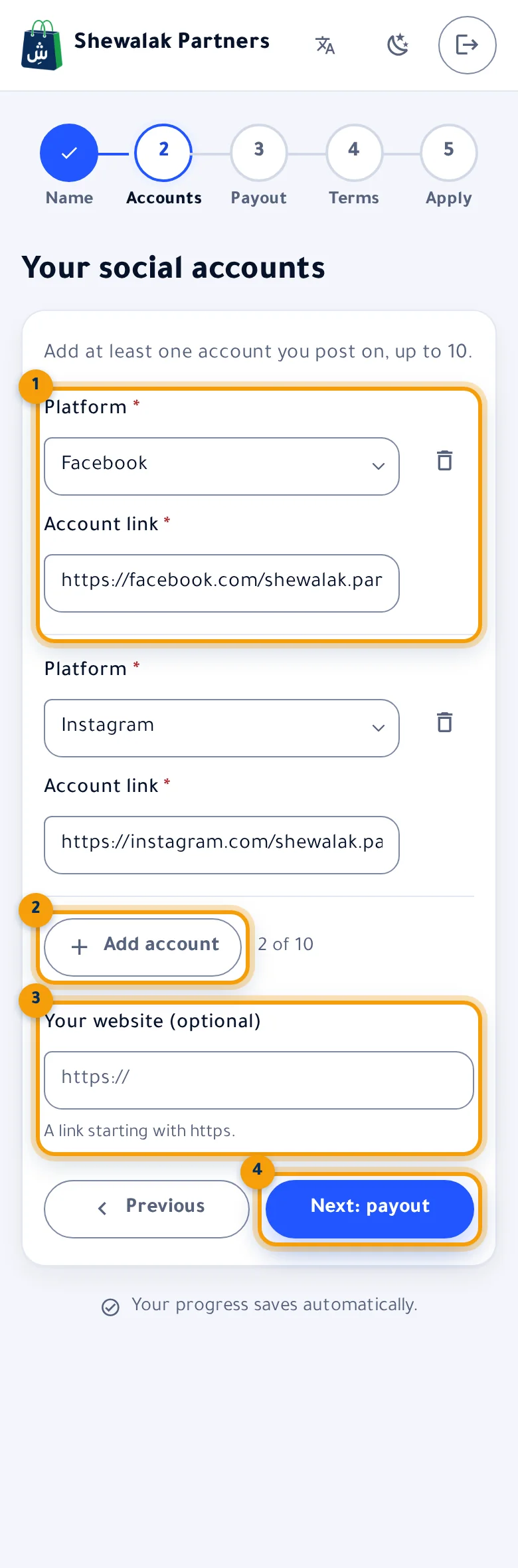
3. Add your accounts
- Choose the Platform and write the full Account link. One account is enough and the limit is 10.
- Tap Add account to add another.
- Write Your website (optional) if you have one.
- Tap Next: payout.
4. Set how you get paid
- Payout mobile number is your sign-in number. If you change it, tap Send the code and enter the code sent to the new number.
- Choose your Primary wallet.
- If you like, choose a Second wallet (optional), used when a transfer to the first one fails.
- Tick My wallet is in this name and on this payout number.
- Tap Next: terms.
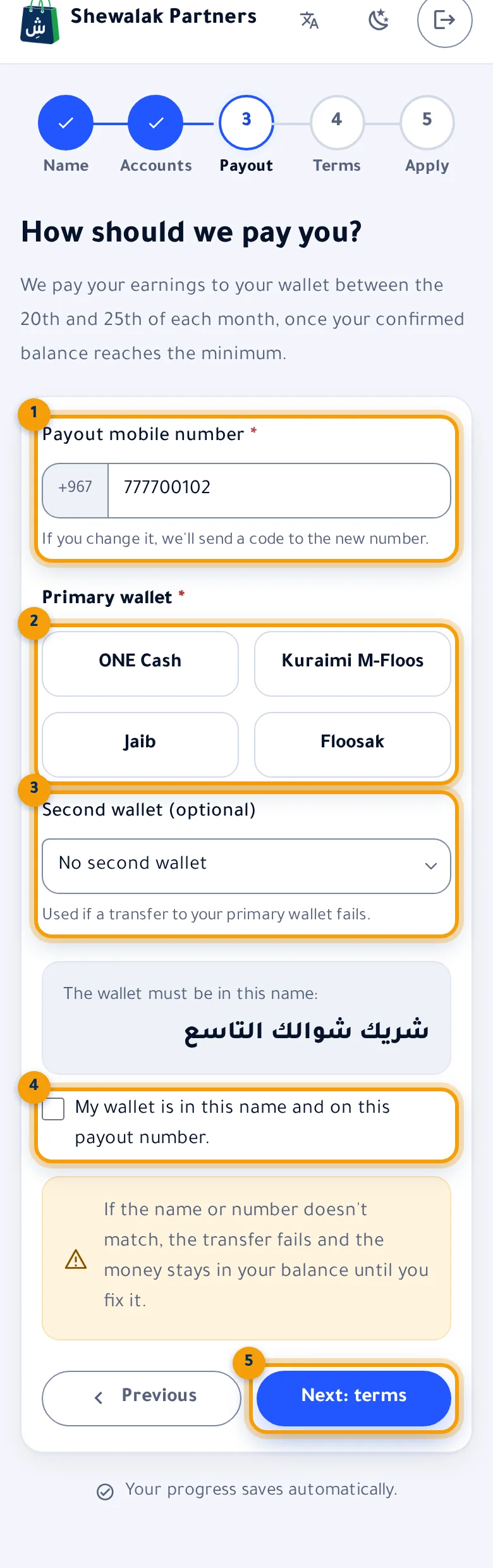
If the wallet's name differs from your full name the transfer fails, and the money stays in your balance until you fix your details.
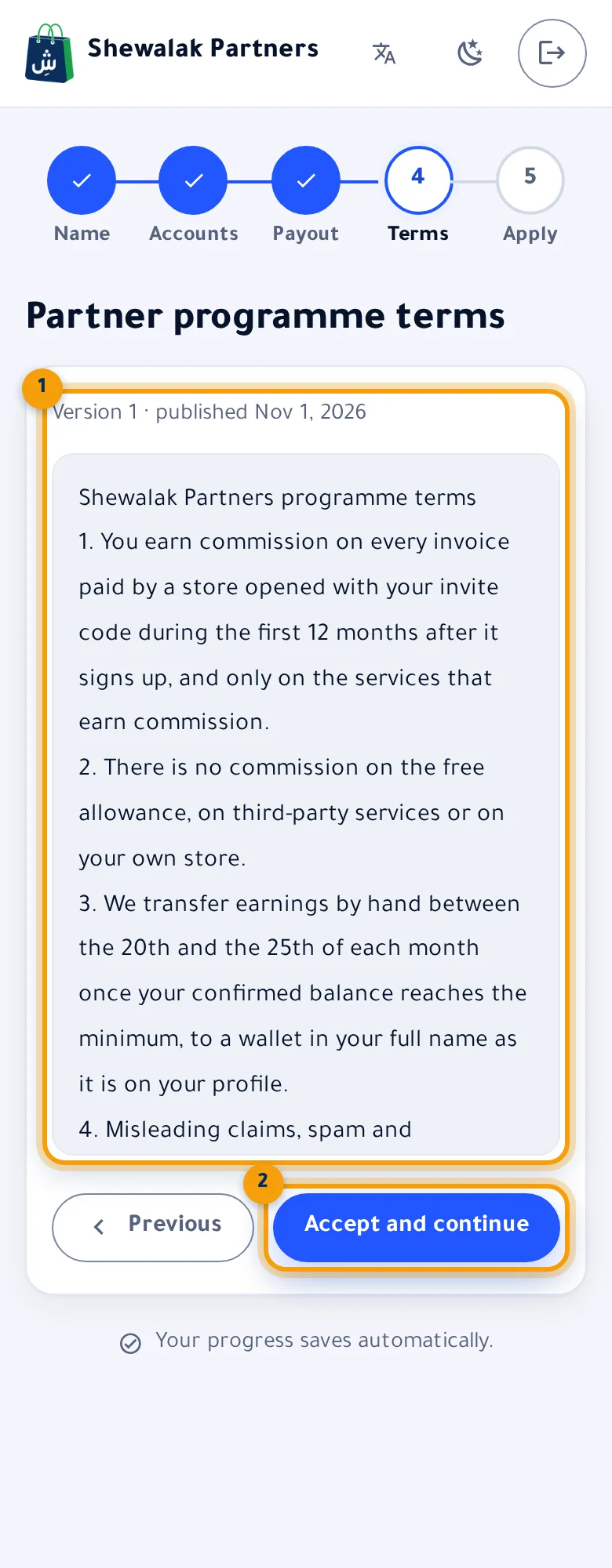
5. Accept the terms
Read the Partner programme terms, then tap Accept and continue.
6. Submit the application
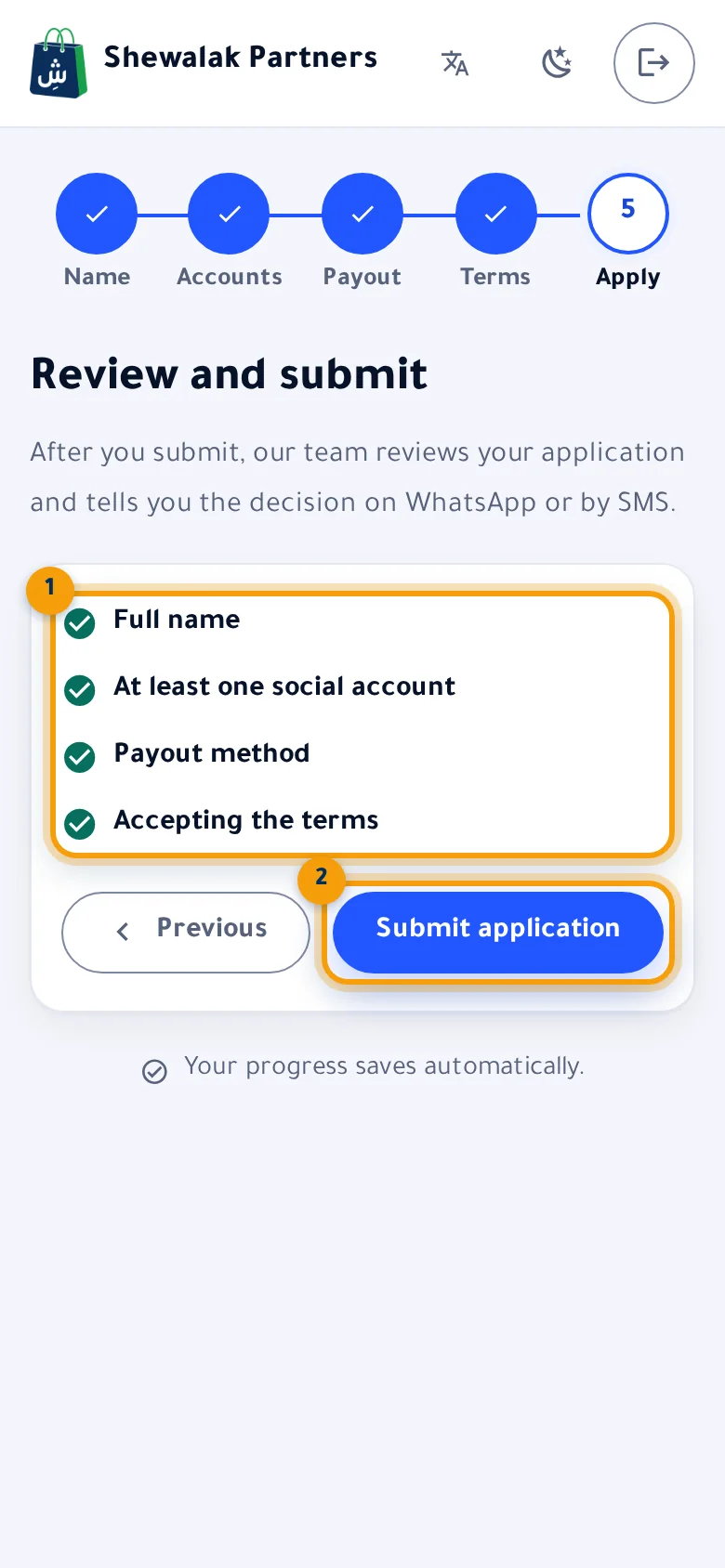
In the Apply step check that all four items are complete, then tap Submit application. A missing item has a Complete it button next to it.
7. Wait for the decision
Home shows Your application is under review and what happens next; meanwhile you can change your profile with Edit my profile.
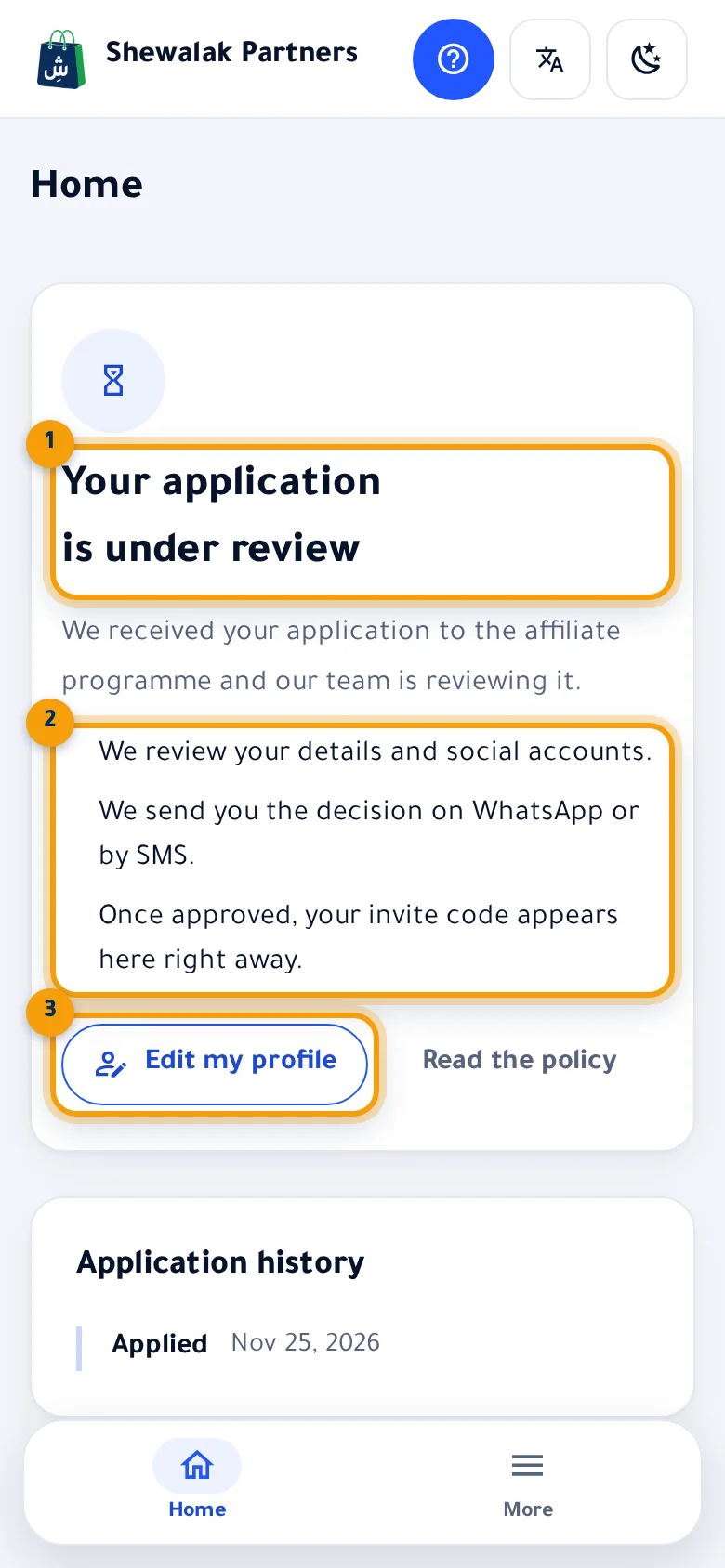
- If you are approved, the decision reaches you with your invite code on WhatsApp or by SMS, and the code appears on Home right away.
- If you are not, Your application wasn't accepted this time appears with the Reason. Tap Edit and resubmit, change what is needed, then submit again.
What happens next
Once approved you have a 6-digit code that never changes. Next step: share your invite code and follow your stores.
Last updated: 2026-11-25
All Shewalak Partners articles