How you get paid
We transfer your confirmed earnings to your wallet between the 20th and the 25th of each month with nothing to request; learn the minimum, how to change your payout method, and what happens when a transfer fails.
Transfers are made by hand and come to you on their own: on the 20th of each month we prepare the monthly transfer batch, then the Shewalak team transfers the amounts to the wallets until the 25th. There is no button to press and no request to send.
You are reading the computer way: the Shewalak Partners portal in a computer browser.
1. Know your next payout
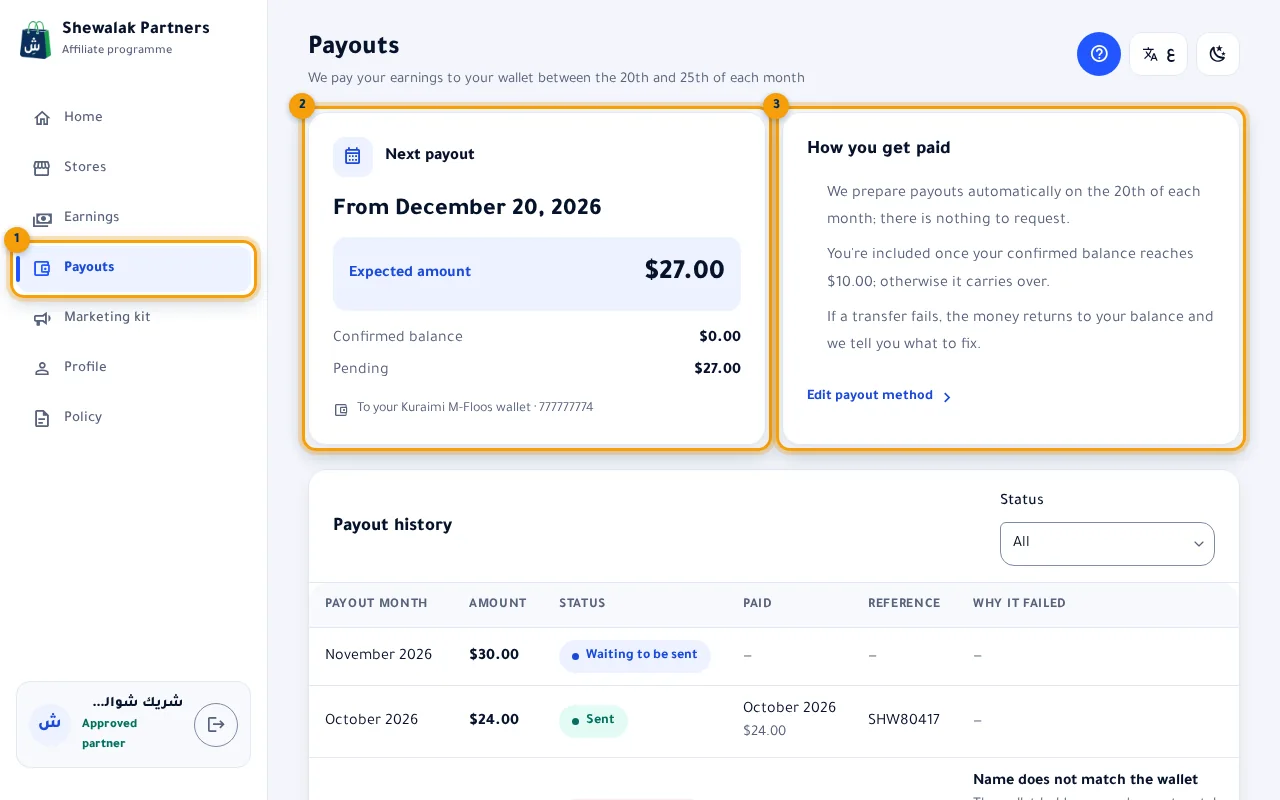
Open Payouts from the sidebar:
- The Payouts link.
- Next payout: its date, the Expected amount, the Confirmed balance, what is Pending, and the wallet we will send it to.
- How you get paid: the three rules and the Edit payout method link.
2. Check the history
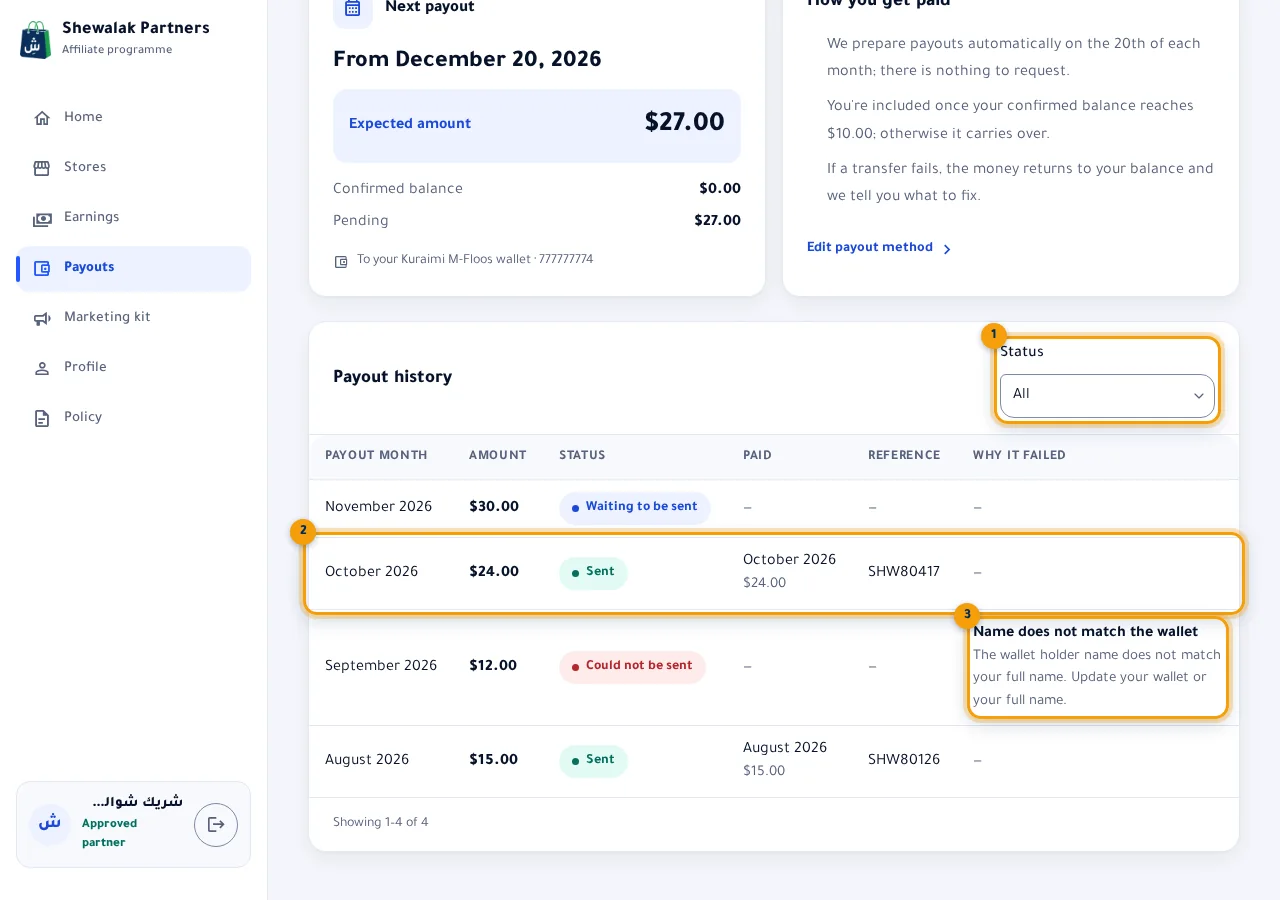
- Choose a Status to show one status only.
- A transferred payout shows the Amount, when it was Paid, what was actually sent and the Reference, which is the transfer number in your wallet.
- A payout that was not transferred shows Why it failed and what to fix.
3. Change your payout method
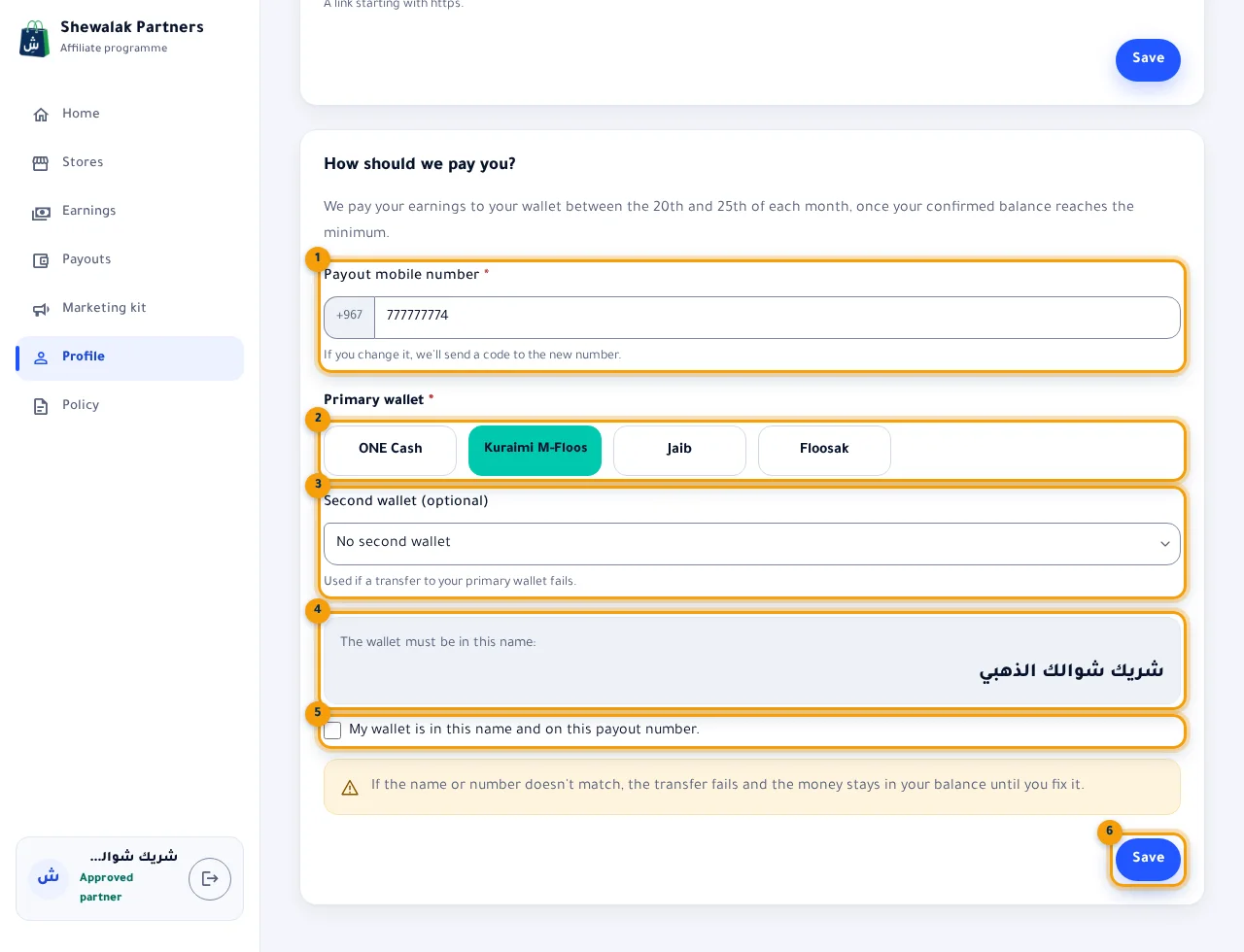
- Open Profile from the sidebar and scroll to How should we pay you? and check the Payout mobile number. A number other than your sign-in number needs a code sent to it: select Send the code and enter it.
- Choose the Primary wallet.
- Choose a Second wallet (optional) if you like.
- Check that the wallet carries the name under The wallet must be in this name:.
- Tick My wallet is in this name and on this payout number.
- Select Save.
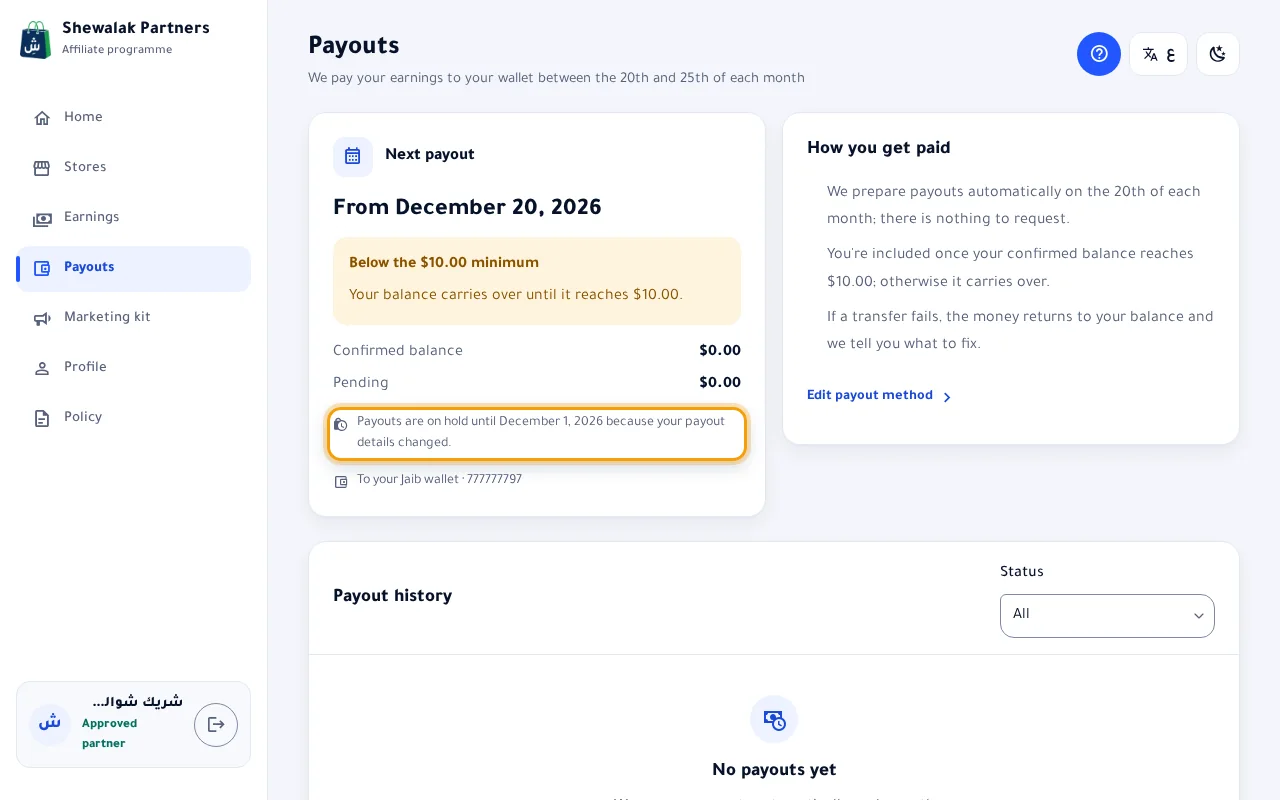
After a change your payouts are held for 7 days, and the Next payout card shows when the hold ends:
You are reading the phone way: the Shewalak Partners portal at partners.shewalak.com in your phone's browser.
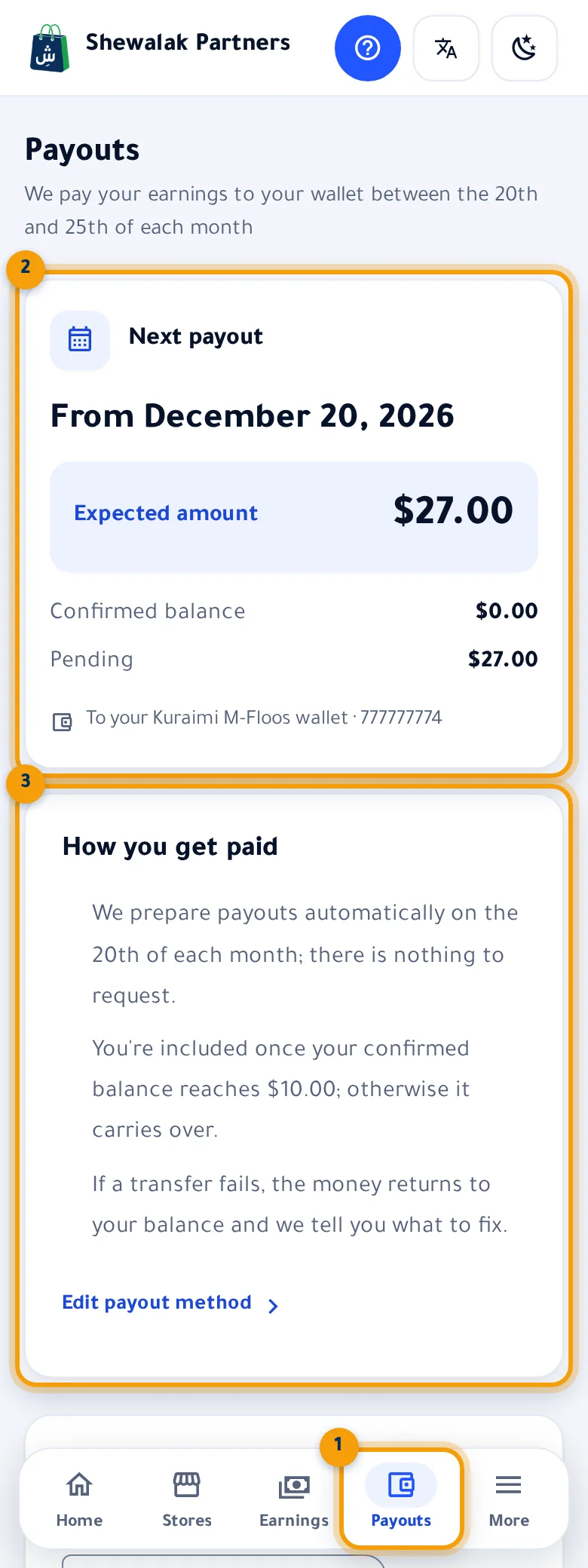
1. Know your next payout
Tap Payouts in the bottom bar:
- Payouts in the bottom bar.
- Next payout: its date, the Expected amount, the Confirmed balance, what is Pending, and the wallet we will send it to.
- How you get paid: the three rules and the Edit payout method link.
2. Check the history
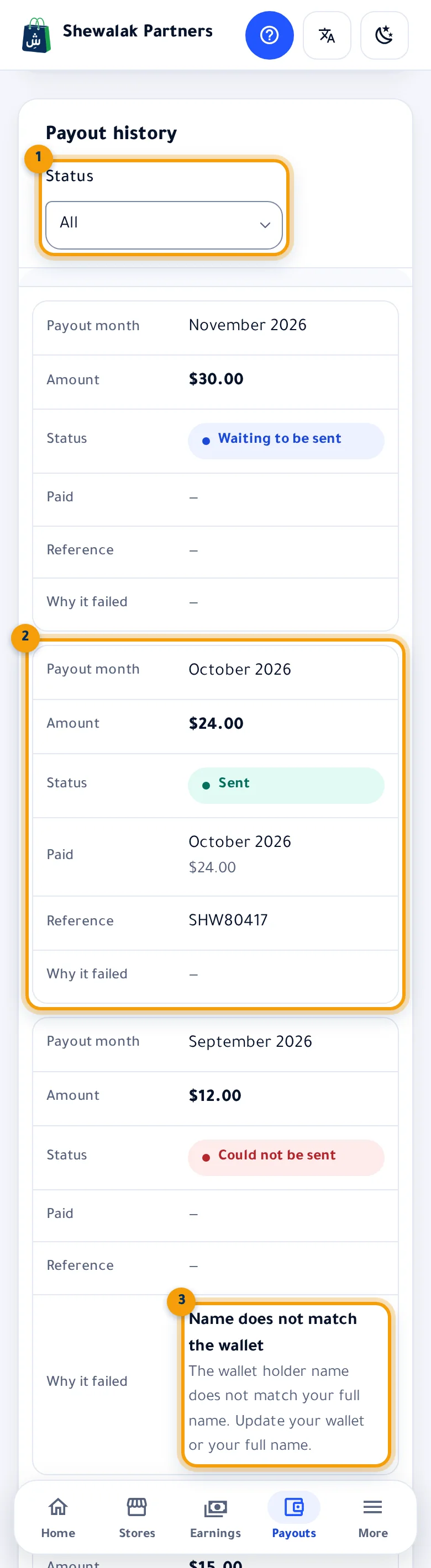
- Choose a Status to show one status only.
- The card of a transferred payout shows the Amount, when it was Paid, what was actually sent and the Reference, which is the transfer number in your wallet.
- A payout that was not transferred shows Why it failed and what to fix.
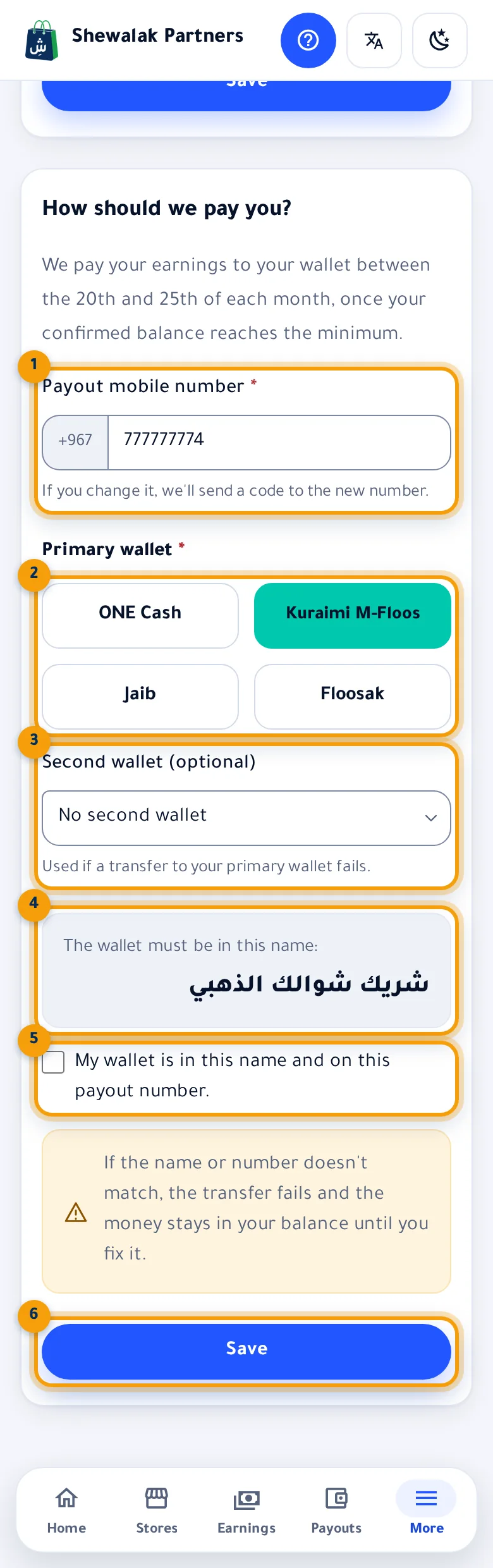
3. Change your payout method
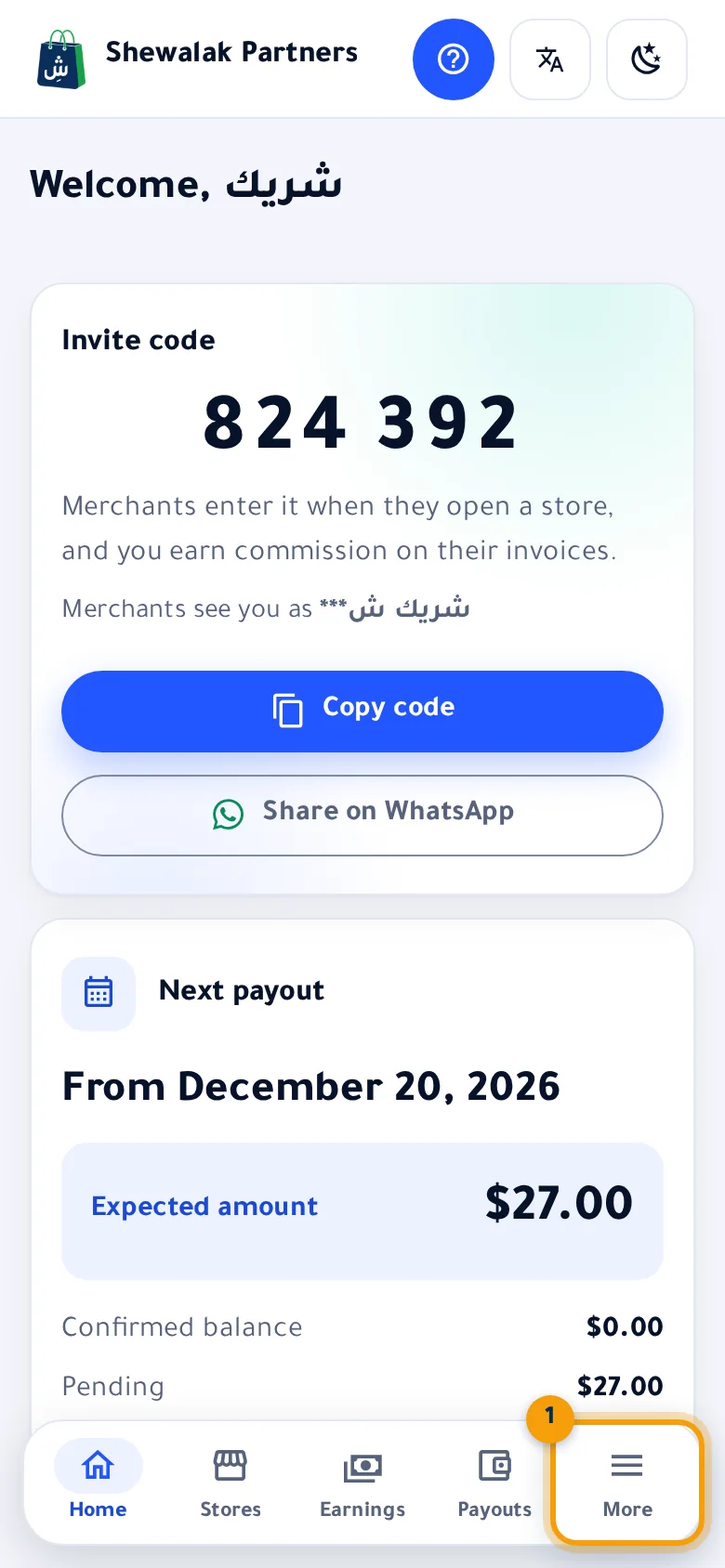
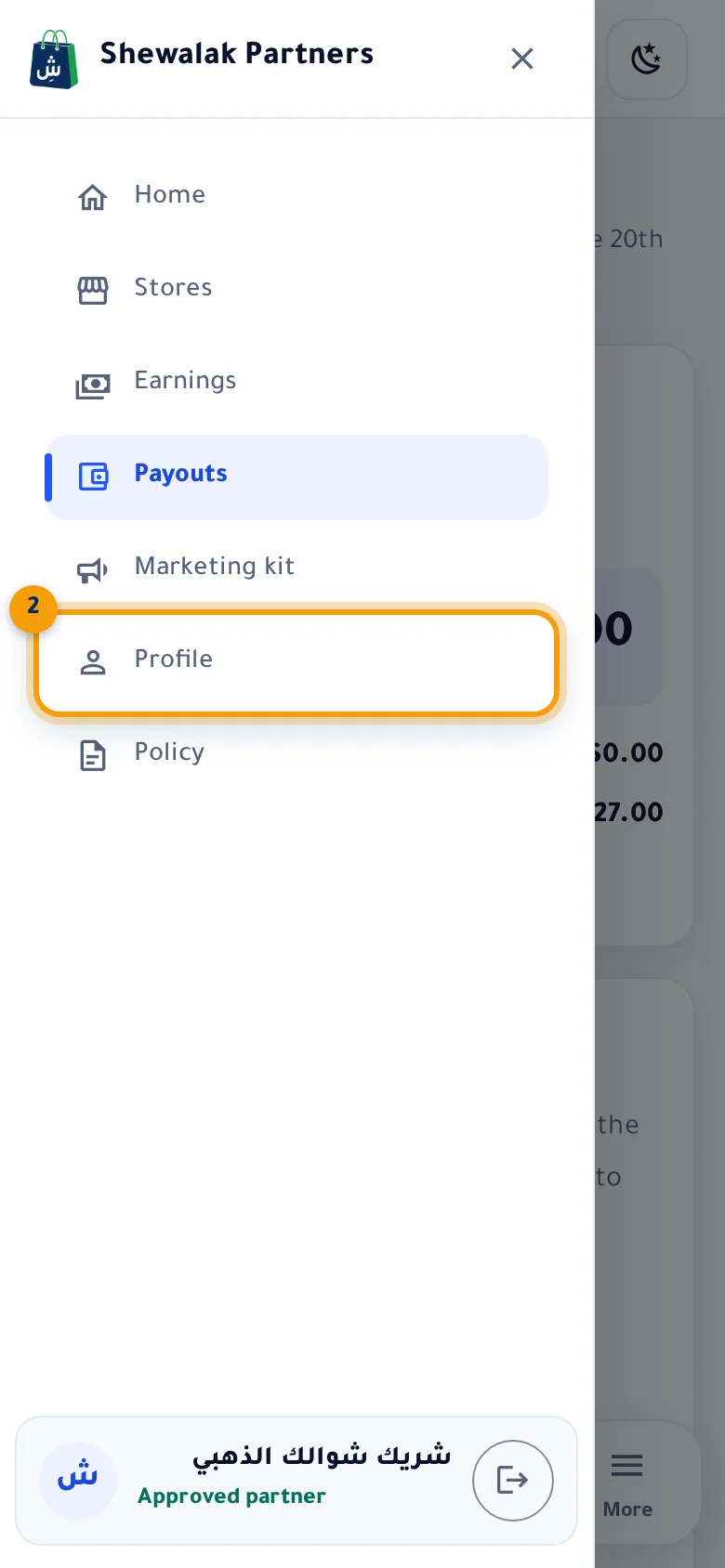
Tap More in the bottom bar, then Profile.
- In Profile scroll to How should we pay you? and check the Payout mobile number. A number other than your sign-in number needs a code sent to it: tap Send the code and enter it.
- Choose the Primary wallet.
- Choose a Second wallet (optional) if you like.
- Check that the wallet carries the name under The wallet must be in this name:.
- Tick My wallet is in this name and on this payout number.
- Tap Save.
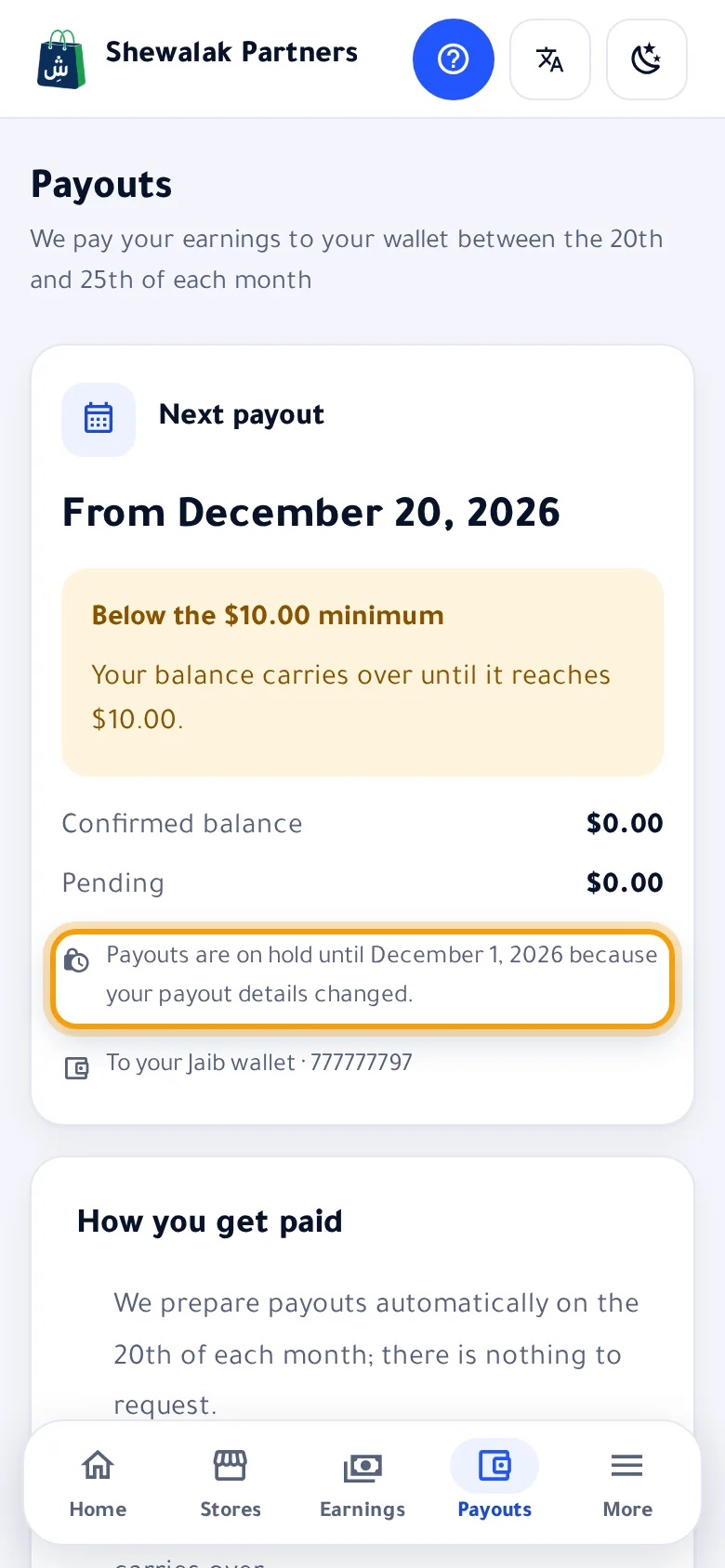
After a change your payouts are held for 7 days, and the Next payout card shows when the hold ends:
When you are included
You are included when three things are true:
- Your confirmed balance is 10.00 USD or more; otherwise all of it carries over to the next month.
- You have a payout method confirmed in your name.
- Your payouts are not on hold.
When you are included a message tells you the amount, and once we transfer it another gives you the transfer reference.
Statuses in the history
| Status in the history | Meaning |
|---|---|
| Waiting to be sent | The team will transfer it during the batch days |
| Sent | The amount was transferred and its reference is beside it |
| Could not be sent | Nothing was transferred and the amount is back in your balance |
Fix the reason
- Name does not match the wallet: update your full name or your wallet until they match.
- Wrong number: check the payout mobile number and that it is registered with the wallet.
- Wallet unavailable: choose another wallet.
- Other: contact Shewalak support.
Once fixed, the amount enters the next month's batch on its own.
When payouts are held
Changing the number or the wallet holds your payouts for 7 days and tells your sign-in number, so nobody can send your earnings to another wallet. Changing your Full name holds them just as long, and you must then confirm that the wallet is in the new name. If the 20th falls inside the hold, your earnings wait for the next month's batch.
What happens next
The batch repeats every month on its own; what remains yours is keeping the terms you accepted up to date. Next step: accept the new terms.
Last updated: 2026-11-25
All Shewalak Partners articles