Share your invite code and follow your stores
Copy your invite code and share it with merchants, read the Home figures, and follow the status and commission period of every store opened with your code.
Your invite code is 6 digits that a merchant enters once, right after opening their store, and the store is then linked to you. There is no referral link: the code alone links the store, so make sure the merchant knows it before signing up. The merchant's side is explained in Add an invite code when you open your store.
You are reading the computer way: the Shewalak Partners portal in a computer browser.
1. Copy or share the code
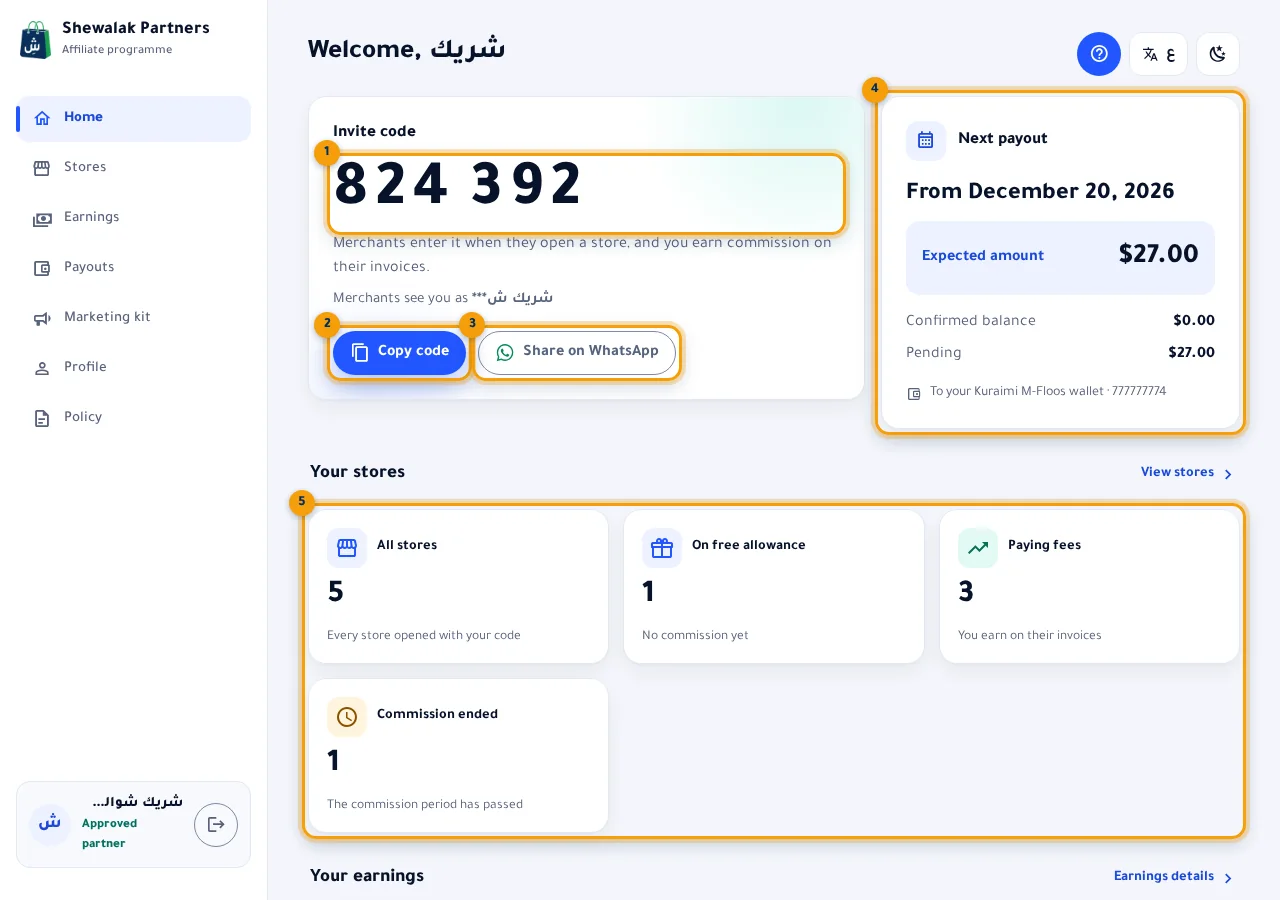
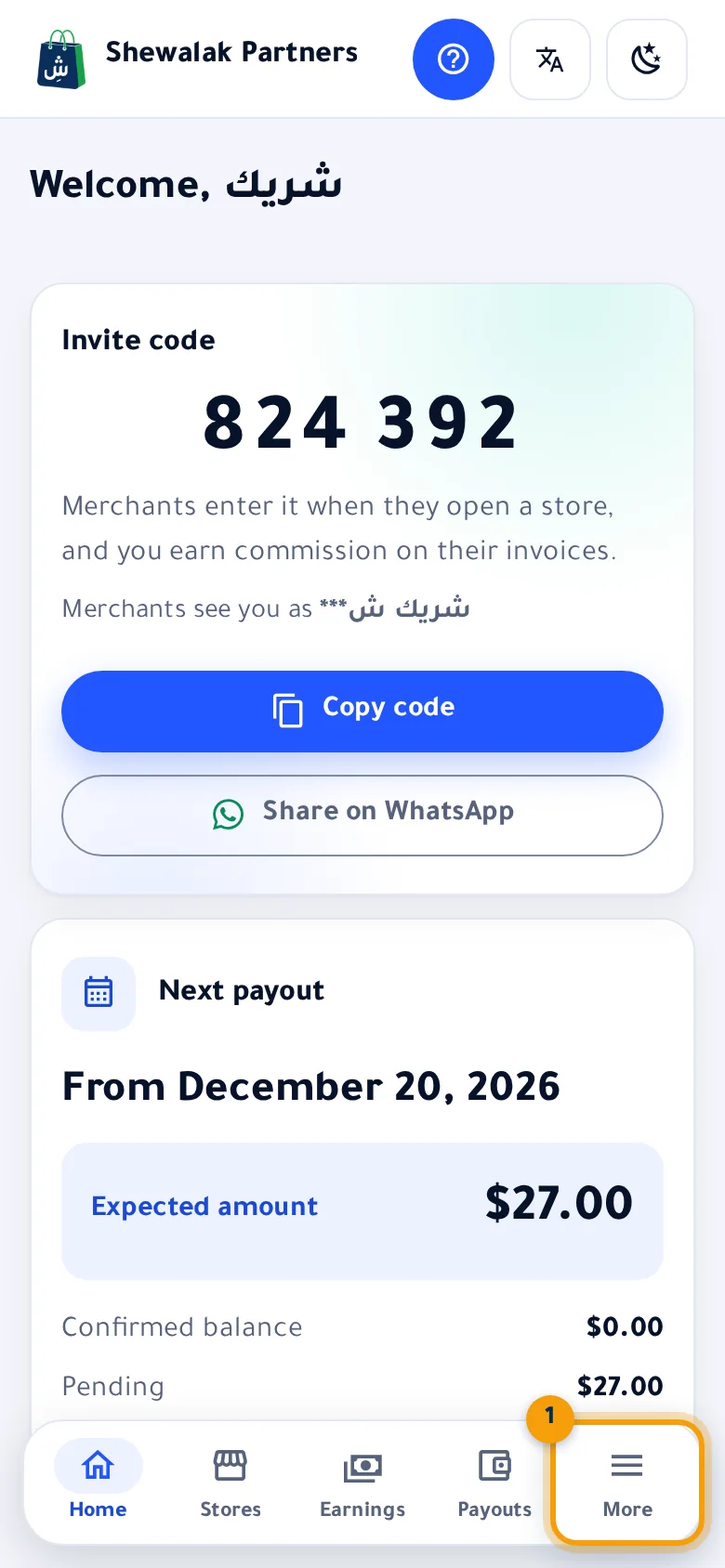
Open https://partners.shewalak.com; your Invite code is at the top of Home:
- The code is in large digits, with your name under it as merchants see it, such as "شريك ش***", so they can check they typed your code.
- Select Copy code to paste it wherever you like.
- Select Share on WhatsApp to send a ready message with the code in it.
- The Next payout card shows the date of the next transfer, the Expected amount, the Confirmed balance and what is Pending.
- Your stores counts your stores by status, with Your earnings below.
2. Follow each store
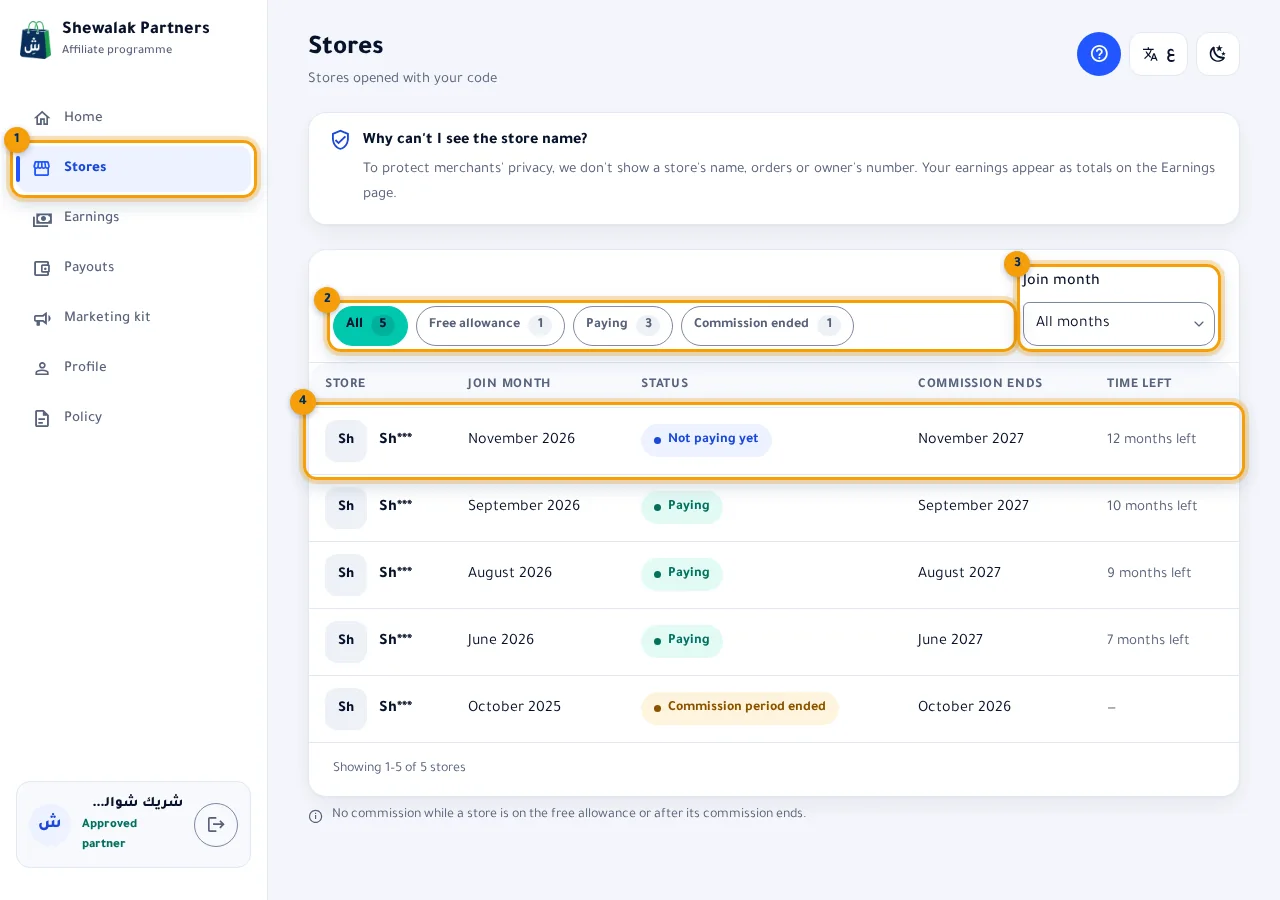
- Open Stores from the sidebar.
- Select a status to show its stores only: Free allowance, Paying or Commission ended, or All.
- Choose a Join month to show one month's stores.
- Each row shows the first two letters of the store's name, its join month, its status, when its Commission ends and the Time left. A store that has not paid yet reads Not paying yet.
You are reading the phone way: the Shewalak Partners portal at partners.shewalak.com in your phone's browser.
1. Copy or share the code
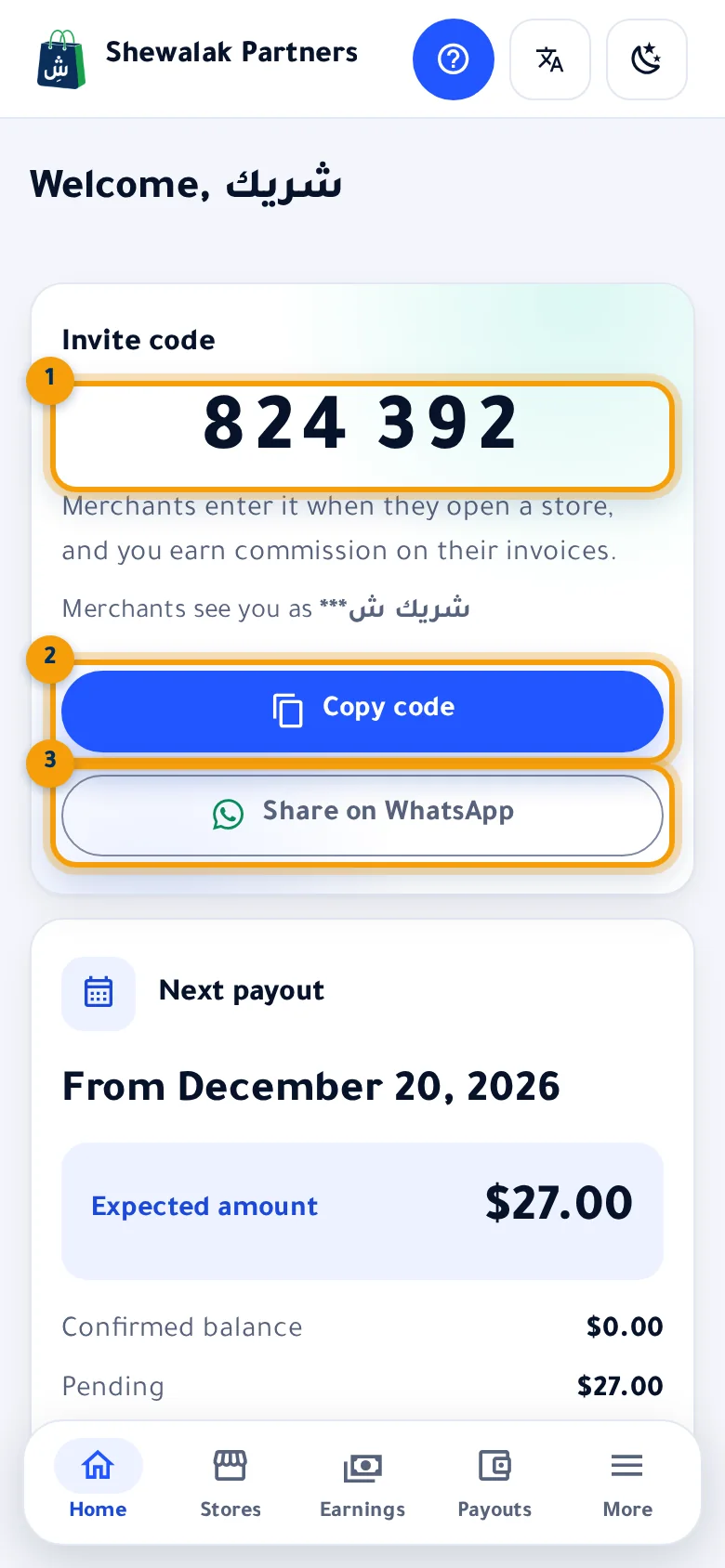
In your phone's browser open https://partners.shewalak.com; your Invite code is at the top of Home:
- The code is in large digits, with your name under it as merchants see it, such as "شريك ش***", so they can check they typed your code.
- Tap Copy code to paste it wherever you like.
- Tap Share on WhatsApp to send a ready message with the code in it.
- Scroll down to the Next payout card: the date of the next transfer, the Expected amount, the Confirmed balance and what is Pending.
- After it Your stores counts your stores by status, with Your earnings below.
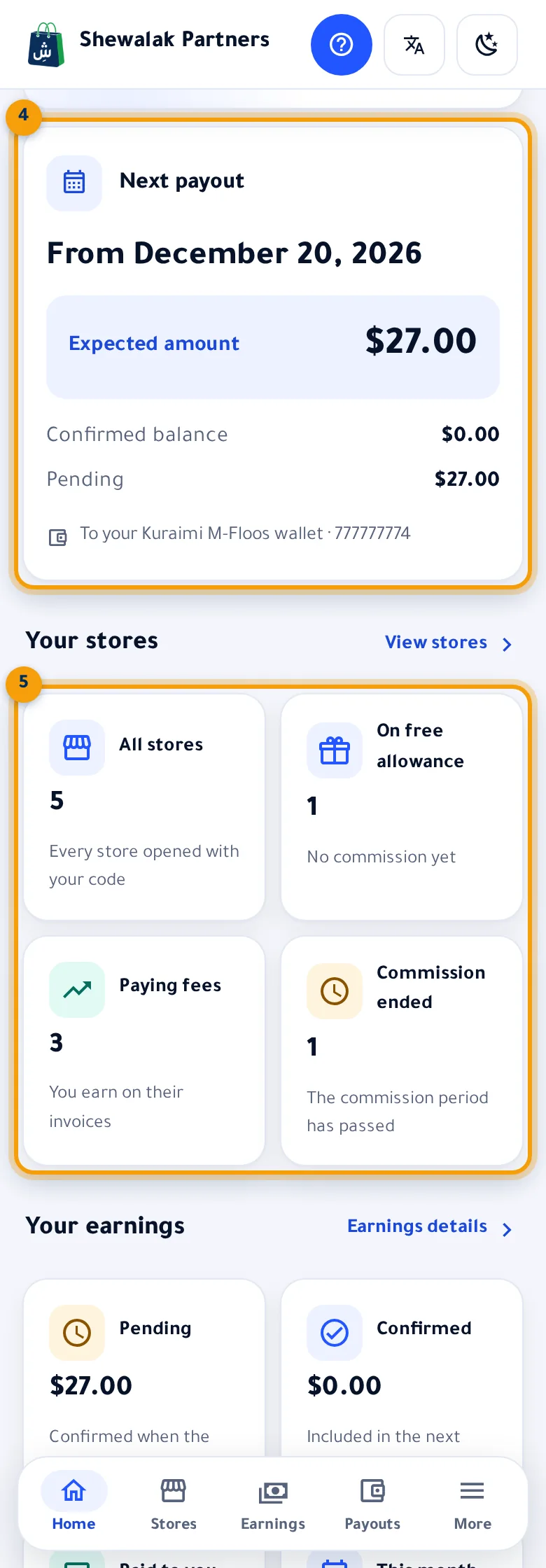
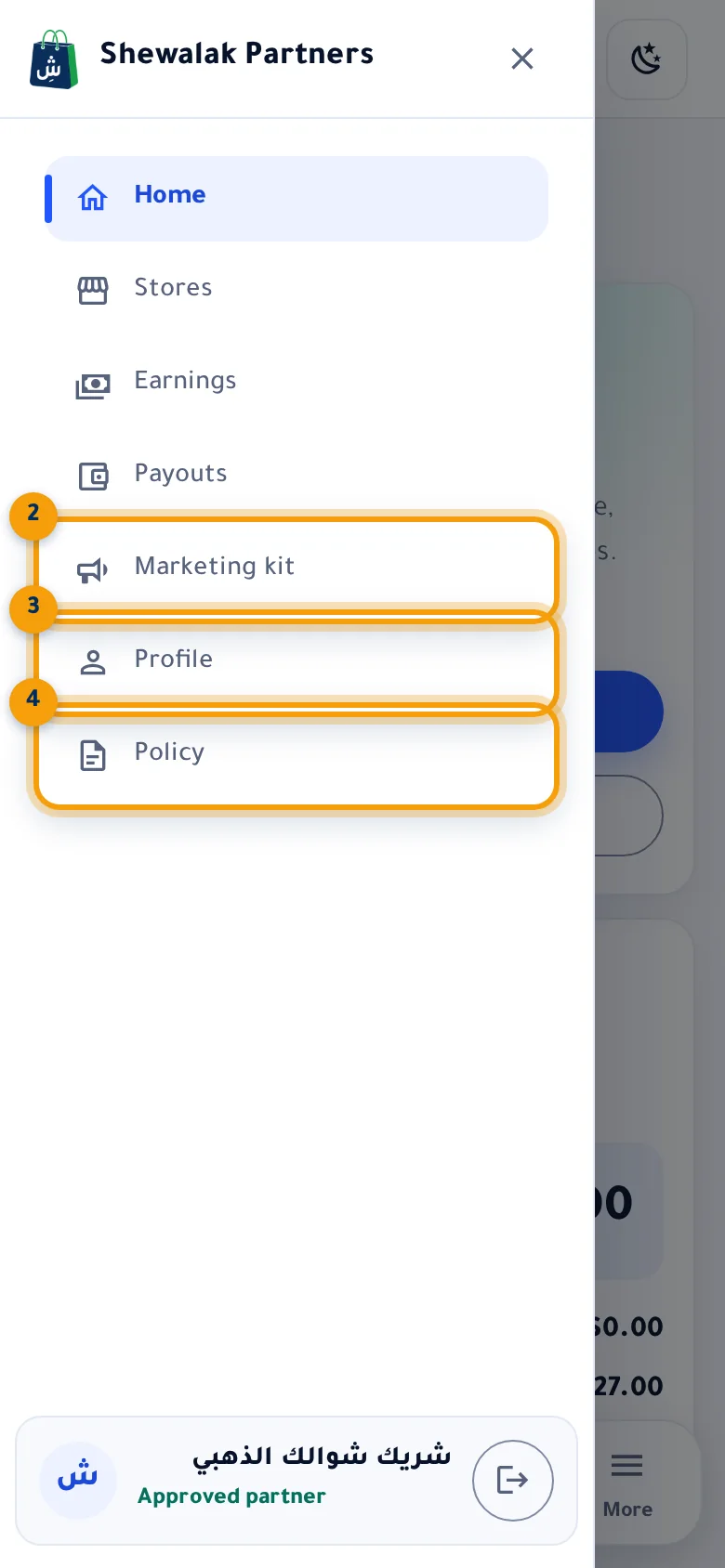
The bottom bar has Home, Stores, Earnings and Payouts, and More opens the full menu with Marketing kit, Profile and Policy.
2. Follow each store
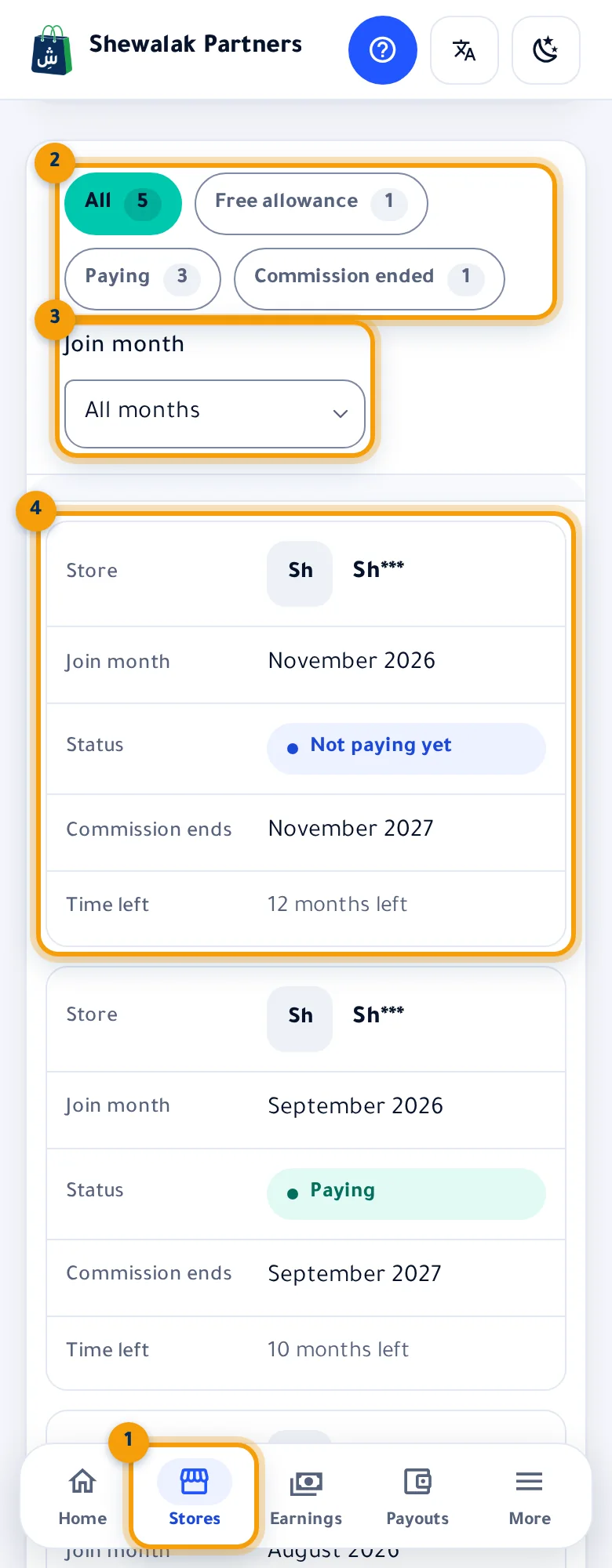
- Tap Stores in the bottom bar.
- Tap a status to show its stores only: Free allowance, Paying or Commission ended, or All.
- Choose a Join month to show one month's stores.
- Each store is a card: the first two letters of its name, its join month, its status, when its Commission ends and the Time left. A store that has not paid yet reads Not paying yet.
Read the store cards
- All stores: every store opened with your code.
- On free allowance: stores that have not paid fees yet, so there is no commission on them so far.
- Paying fees: stores whose invoices you earn on.
- Commission ended: stores whose commission period has passed.
Why can't I see the store name? To protect merchants' privacy we don't show a store's name, orders or owner's number, and your earnings appear as totals.
When a store you invited does not appear
- The code is entered once after sign-up. A merchant who skipped the step cannot add it on their own.
- In the first 14 days after the store opens, the merchant can ask Shewalak support to attach your code to it.
- Your code is not accepted on your own store. A store whose owner matches you by name or mobile is reviewed first, and its earnings stay out of transfer batches until the review is decided.
What happens next
The more merchants know your code, the more stores open with it. Next step: post with the ready marketing kit.
Last updated: 2026-11-25
All Shewalak Partners articles